
ATLAS / 007 / TOOL PROFILE
Canva
Design
Produce branded visual assets quickly while keeping source files, rights checks, approvals, and final delivery explicit.
A visual creation suite for social content, presentations, video, and brand assets.
- Best for
- Social content · Solo creators
- From
- Free plan · Pro from $12/mo billed yearly
- Platforms
- Web · iOS · Android · Windows · macOS
PRODUCT OVERVIEW
A template-led visual production suite for everyday publishing.
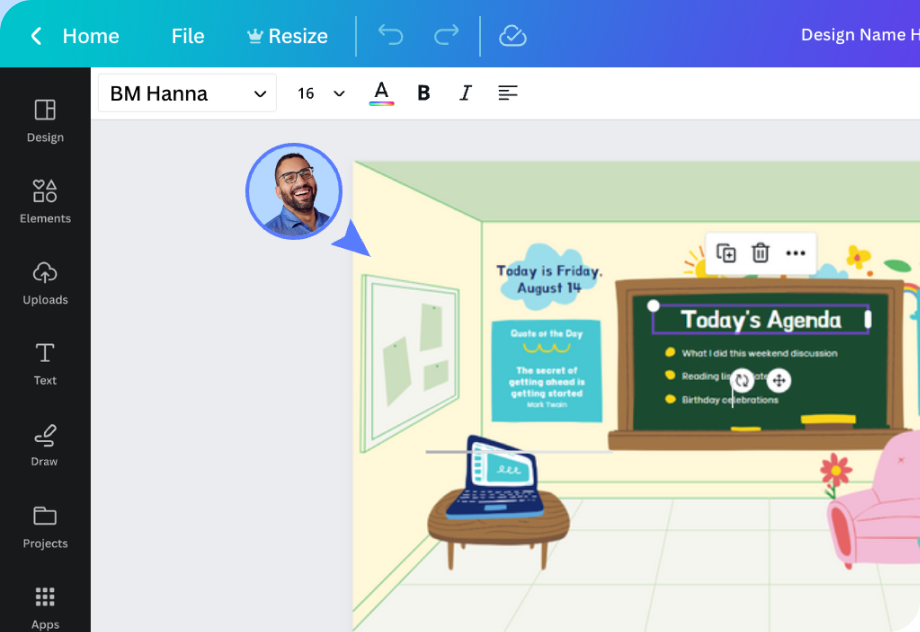
Canva combines templates, presentations, social graphics, documents, whiteboards, websites, photo and video editing, brand controls, collaboration, stock content, and Magic Studio features in a browser-led workspace. It is strong for fast, repeatable content production and multi-format resizing, but it does not replace specialist layout, illustration, motion, or color-managed production when precise control is required. Free and Pro access differ across premium content, brand tools, background and resize features, storage, collaboration, and AI usage, while asset licenses, regional prices, taxes, and feature quotas still need checking for each delivery.
WORKS WELL FOR
- Social content
- Solo creators
- Fast design
CHECK BEFORE CHOOSING
- Limited advanced controls
- Can feel restrictive
- Internet required for core workflows
PRODUCT DETAILS
What it does.
Create and adapt visual content across common formats
Templates, editors, stock content, presentations, video, documents, websites, brand tools, collaboration, and Magic Studio support rapid production across many everyday marketing and communication outputs.
ProductKnow when specialist production tools are still required
Canva favors speed and reusable templates over deep typography, prepress, advanced motion, complex illustration, and exact color workflows. Review generated layouts and media rights before publishing.
Official guideCheck content rights, account controls, and AI processing
Uploads, collaborators, public links, stock licenses, apps, and AI features create different data and rights boundaries. Confirm the applicable privacy policy, license terms, and workspace permissions for each project.
Data & privacyDownload the approved master and a handoff package
Designs can be downloaded in supported image, PDF, presentation, video, and other formats depending on content and plan. Keep editable ownership, linked assets, fonts, licenses, and approval notes with the final exports.
Export & handoffPlans and prices.
Checked 2026-08-05. Confirm regional price, taxes, billing, and seat terms before purchase.
Report a price or product changeFree
Freeno subscription
No subscription
- Free templates, content, and common export formats
- Limited premium assets, brand controls, storage, and AI usage
- Stock and generated-content rights still require review
- Billing model
- Per member
- Price region
- Official public price · checkout market not guaranteed
Pro
Tool Atlas plan$12per user / month
$144 billed yearly
- Normalized record uses $12 per month when billed yearly
- Premium content, brand, resize, background, and workflow features
- AI quotas, licenses, tax, and regional checkout can still limit use
- Billing model
- Per member
- Price region
- Official public price · checkout market not guaranteed
CHOOSE CANVA WHEN
- Easy to learn
- Large template library
- Fast multi-format publishing
CHECK BEFORE CHOOSING
- Limited advanced controls
- Can feel restrictive
- Internet required for core workflows
ALTERNATIVES
 GammaPresentations