
Begin the handoff while the design can still change
Picture a designer presenting a finished account-settings screen on Friday afternoon. The spacing is polished, the prototype clicks, and the empty state looks calm. On Monday, the developer asks what happens when an organization has 140 members, an expired subscription, no permission to change billing, and a German interface. None of those questions live in the hero frame. Each one can change the layout and the product behavior.2, 3, 13
Figma's own handoff guidance makes early engineering involvement the first move. Teams at Dropbox, Expedia, and Cash App shared work through one evolving file, separated unfinished material from ready work, and used components and documentation to preserve context. The useful lesson has little to do with exporting measurements. Developers can challenge data assumptions and implementation cost while the design remains cheap to change.1, 2
A small team can put that lesson into one rule: every feature gets an engineering conversation before visual approval. The designer brings the user flow and the states that express it. The developer brings real data, platform behavior, component constraints, and failure modes. They leave with a narrower design and fewer surprises.1, 2, 3
Follow one screen all the way through
Keep the account-settings example in view. The approved feature lets an organization owner change billing details and invite members. In the first conversation, engineering reveals that billing is handled on another domain, invitations can partially fail, and only owners see the payment control. Content adds German labels and the legal name shown on invoices. Support contributes the case where an owner has lost access to the billing email. The polished frame has already become four states and one recovery route.1, 2, 13
That expansion is not scope creep. It is the product becoming visible before code makes omissions expensive. The designer can now decide whether billing belongs on the same page, whether a failed invitation stays editable, and what a non-owner should see. The developer can identify existing components and data that should shape those decisions. The work item records what the team deliberately leaves for later.1, 2, 5
The handoff packet for this screen should fit on one page: approved design checkpoint, behavior and permissions, copy source, component states, representative data, analytics events, accessibility notes, production owner, candidate URL, and rollback owner. If a reviewer needs a guided tour from the designer to find those items, the file is not yet an inspectable handoff.1, 5, 13, 10
Use Figma to expose decisions and supported states
A developer opening the file should be able to find the current route, the approved frames, and the source component without touring a museum of experiments. Figma supports Ready for dev status, annotations, component properties, variables, linked code, asset export, and version history. These features work when the team agrees what each signal means. A green section title invented by one designer will not help a new developer if nobody documented the convention.1, 2, 3, 5
Keep explorations in place when they explain a decision, but give implementation a clean entry point. Mark the approved section and the version reviewed. Link the brief, issue, prototype, copy, analytics events, and source assets. For a reusable component, document its purpose and supported states beside the master component. Use semantic names such as surface-danger or status-blocked; coordinate names such as red-500 and badge-right force the developer to guess what may change.2, 3, 1
The frame also needs unfriendly content. Replace perfect names with long names, real currencies, translated labels, missing images, permission errors, and loading delays. Show keyboard focus and reduced motion where interaction requires them. A component that works only with curated English copy is an illustration, not a production contract.13, 2, 3
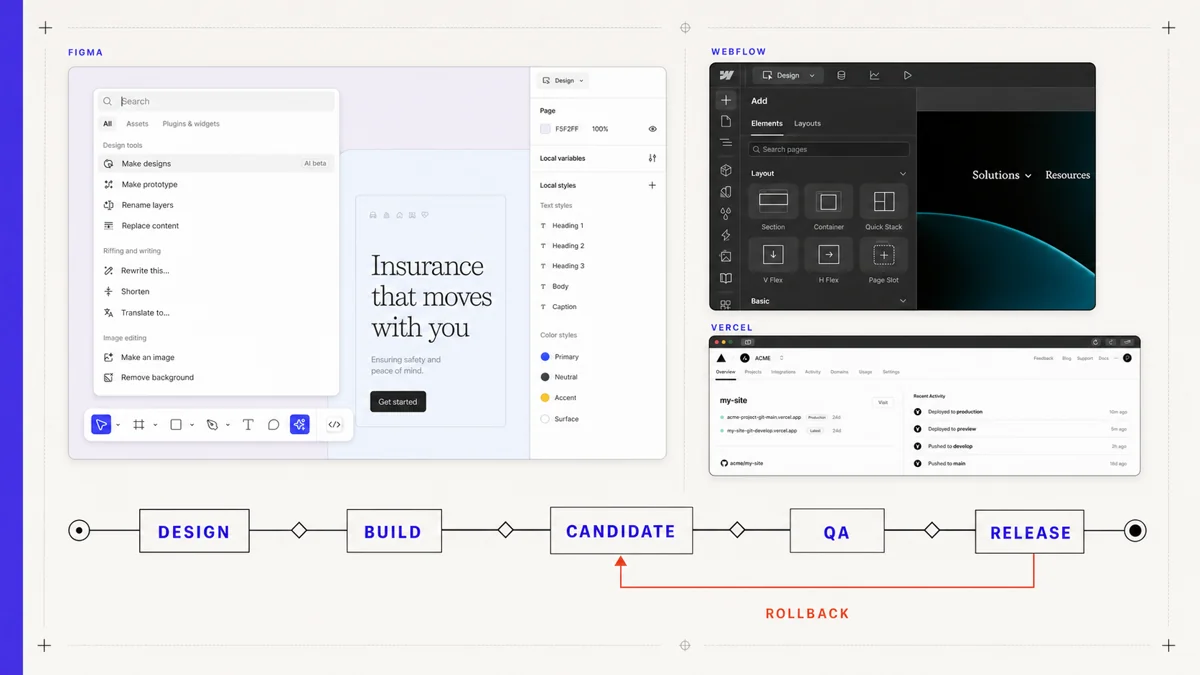
Version history protects the path the team took, but it does not select the release target. Record the design checkpoint in the work item. If someone changes copy, spacing, or behavior after approval, mark the affected frame ready again and tell the implementer what changed. Silent edits create two competing truths: the code under review and the latest canvas.5, 1
Assign ownership for the product after launch
The next decision is where the product will live. Framer or Webflow can own a marketing site whose editors want visual publishing and managed hosting. A custom application should keep routing, permissions, data, reusable components, and tests in the codebase. Generated code can help a prototype cross the gap, but a person still needs to own the repository, dependencies, deployment, and defects.8, 6, 10
| Route | Strong fit | Production owner | Question that decides the choice |
|---|---|---|---|
| Framer or Webflow | Marketing pages, campaigns, editorial sites, frequent visual changes | Designer, site owner, or web team | Can the platform own publishing, access, localization, forms, hosting, and recovery? |
| Custom application | Authenticated products, complex data, permissions, shared application components | Engineering team | Does the feature depend on code, tests, data contracts, or release controls outside the visual platform? |
| Generated starting point | Prototype or bounded interface with a clear engineering takeover | Named developer after generation | Can the team understand, test, maintain, and deploy the resulting system? |
Cost is part of the choice, but editing ownership matters more. A cheap custom build becomes expensive when every copy change needs a developer. A visual platform becomes expensive when application logic leaks into workarounds, scripts, and external automations. Ask who will make the fiftieth change, how that person will preview it, and how the team will reverse a bad publish.8, 9, 7, 11
Build one candidate everyone can inspect
Implementation review should happen on a stable candidate. A moving branch URL that updates after every push can invalidate feedback while the reviewer is still writing it. Vercel distinguishes branch-specific preview URLs from commit-specific URLs. Framer creates static version links with a publisher and timestamp. Whatever the platform, attach approval to an identifiable revision.10, 8
The candidate needs production-shaped data and configuration. A preview filled with mocked happy-path cards proves little about empty accounts, slow images, failed requests, role restrictions, or localized copy. Seed representative fixtures and give reviewers test accounts with different permissions. Keep secrets and production data out of the preview, but preserve the behavior that shapes the interface.10, 13
Designers should review in the browser, not from screenshots alone. They need to resize the viewport, use the keyboard, wait for loading, trigger validation, zoom the page, and inspect long content. Engineers should join that review because some visible defects come from data or implementation choices, while others expose a missing design decision.12, 13, 14
The browser should be allowed to overrule the frame
On the settings candidate, the first serious failure appears at 200% zoom. The member table consumes the page width, the sticky action bar covers the last row, and the German billing label pushes a secondary action outside its container. At the same time, an invited administrator can reach the billing route through a copied URL even though the button is hidden. Only one of these failures is primarily visual. All of them change whether the design is ready.13, 12, 10
The wrong response is to patch the candidate until it resembles the desktop frame. The team should take the findings back to the system. The table may need a compact row pattern at narrow widths. The action bar may need ordinary document flow under zoom. Permission enforcement belongs on the route, while the Figma state documents what an unauthorized user should see. Each fix has an owner in design or code and a test that survives the current screenshot.2, 3, 13, 12
Then the team fixes the candidate and records the new revision. The original review comments stay attached to the failed revision so nobody mistakes them for approval of the new one. This small act protects the integrity of feedback: a comment describes the artifact the reviewer actually saw.10, 8, 5
Review behavior the design file cannot show
Start with the task. Can a user finish it with a mouse, keyboard, touch input, and the content the product will send? Then inspect the visual system. This order prevents the team from polishing a button while the form loses data on an error.13, 12
Responsive review should follow reflow rules rather than a small set of screenshots. Find the width where hierarchy breaks. Check the longest supported copy and the narrowest supported viewport. Tables and code samples may need their own scroll region; the document should not drift sideways. Images need an intentional crop and focal point. Fixed elements must leave enough room for content and browser controls.13, 12
Accessibility review belongs in the same candidate. Use native elements where they fit, preserve visible focus, follow a sensible order, and name controls by purpose. Run automated checks, then let a person complete the route without a pointer. The W3C guidance and browser behavior remain the reference; an annotation in Figma cannot guarantee the implemented semantics.13, 12
Performance changes design quality as users experience it. A beautiful hero that arrives late can push the call to action down the page. A web font can reflow a heading after the user starts reading. Review the production build and record whether a result comes from a local lab or field data. Core Web Vitals provide measures for loading, interaction, and visual stability, but the team still needs to connect a poor measure to the page element and the user task.14, 10
Visual regression tests can protect stable components and routes after approval. Playwright's screenshot comparison records a baseline and compares later output under controlled conditions. Use it for regressions that matter, not as a demand for identical pixels across every browser and machine. A failing image should lead a reviewer to the behavior or visual change, not settle the design decision by itself.12
Approval is a bundle of evidence
A single sign-off comment is too vague for a product route. Keep a compact release note that names the accepted design checkpoint, candidate revision, tested browsers and viewports, test roles, known exceptions, and person making the decision. Link automated results where they matter, but write the human conclusion in plain language. “Checkout keyboard route passes; billing address autocomplete remains excluded on mobile” is reviewable. “QA done” is not.12, 13, 10
Separate blocking defects from accepted differences. A font may rasterize differently across systems without harming the task. A focus indicator that disappears, a button hidden by browser chrome, or an unauthorized route is not aesthetic variance. Teams that call every pixel a blocker exhaust reviewers; teams that call every discrepancy subjective ship preventable failures.13, 12
For no-code or visual-site routes, apply the same standard. A Framer version link or Webflow staging domain can be the candidate, but the review must still cover forms, redirects, metadata, responsive behavior, permissions, and recovery. Choosing a visual production platform changes the owner and controls. It does not make the work cease to be production.8, 9, 6, 7
Release a named revision and keep a way back
Final approval should name the design checkpoint, production candidate, known exceptions, and release owner. A merge or publish command shows that a system accepted a change. The public route still needs a fresh-session check after activation. Complete the critical task, inspect errors, confirm the expected revision when the platform exposes it, and verify the route from outside the editor account.10, 8, 6
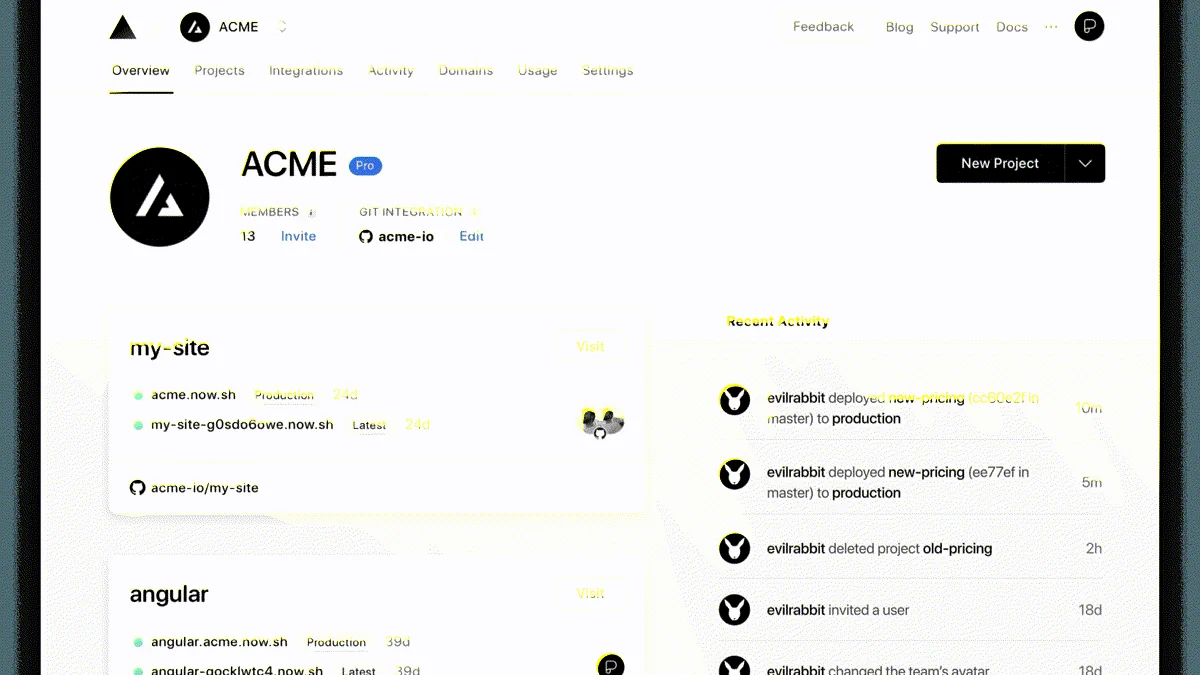
Rollback must exist before the launch. Framer documents staged versions and a route back to earlier publishes. Webflow provides backup and restore behavior. Vercel can point production back to an earlier deployment. Each mechanism covers the site artifact; database migrations, external services, caches, and content changes may need their own recovery plan.9, 7, 11
Choose a small number of rollback triggers: users cannot complete the main task, access controls fail, or the live layout breaks on a supported device. Name the person who can act. Keep the last known good revision visible. After rollback, test the public route again. A dashboard saying “restored” cannot tell you whether users received the working version.9, 7, 11
Carry the final decision into design and code
Production will reveal cases the team missed. A translated label wraps badly. Real customer data creates an empty state nobody designed. A support ticket shows that the error message hides the recovery action. Fix the released product, then decide whether the finding belongs in a shared component, variable, content rule, fixture, or regression test.2, 3, 12
The settings screen now has a useful history. The first design exposed too few states. The first browser candidate failed zoom and route authorization. The corrected revision passed the agreed tasks. After launch, support discovered that owners could not recognize the external billing domain, so the team added an explanation before redirect and updated both the design component and the browser test. That is a handoff loop: each artifact records what the next one taught the team.5, 12, 10
Preserve the approved design checkpoint beside the released revision. They answer different questions. Figma records intended decisions and their context. Production records the behavior users received. The next handoff improves when the team can compare both without pretending they were identical.5, 10
The strongest Figma-to-launch toolchain is a series of accountable handoffs: early engineering feedback, inspectable design decisions, a production owner, a fixed candidate, behavioral review, and a recoverable release. Tools carry the evidence. People decide when the product is ready.1, 12, 11