
Executive Summary
The most useful way to think about AI in design is not as an autonomous designer, and certainly not as a machine that magically produces finished interfaces. It is closer to a junior multidisciplinary design team that works extremely fast, never gets tired, and requires unusually precise supervision.1
That distinction explains why experienced designers often extract more value from AI than beginners. Seniority gives them something the model does not have: the ability to frame the right problem, recognize weak assumptions, reject plausible-looking nonsense, understand product constraints, and decide when a design is actually ready to ship. Interviews with UX professionals found that designers viewed generative AI as an assistive technology while emphasizing human creativity, agency, and judgment.1
The productivity opportunity is therefore not “generate the design for me.” It is systematic delegation: let AI synthesize research, expand alternatives, draft copy, inspect states, critique accessibility, generate prototype scaffolding, and document revisions—while humans own evidence, prioritization, taste, and final decisions. Figma’s current AI direction reflects this shift, moving from isolated generation toward editable design material, functional prototypes, design-system context, and connected workflows.3, 4, 5
The Overtime Problem Is Usually a Workflow Problem
There is a familiar scene in product teams: it is 6:30 p.m., the product manager has already left the call, engineering wants updated specifications tomorrow morning, and the designer is still changing button labels, checking empty states, producing a second onboarding direction, cleaning layers, revisiting research notes, and preparing something presentable for review.1
None of those tasks is meaningless. But not all of them require the same level of judgment. A designer might need twenty years of accumulated taste to decide that an onboarding flow feels coercive, but they do not need twenty years of experience to generate fifteen alternative confirmation messages. They may need deep domain knowledge to interpret a healthcare interview correctly, but they do not need to manually reread twenty pages of notes simply to locate every mention of appointment anxiety.1
Generative AI creates leverage precisely in this gap between judgment-intensive work and production-intensive work. A 2024 industry study based on interviews with 24 UX practitioners found that designers were already using generative AI particularly for writing and research-oriented tasks, while treating more advanced wireframing and prototyping cautiously. The researchers also found a lack of shared team practices and formal organizational policies—a revealing sign that the technology often arrives before the operating model does.1
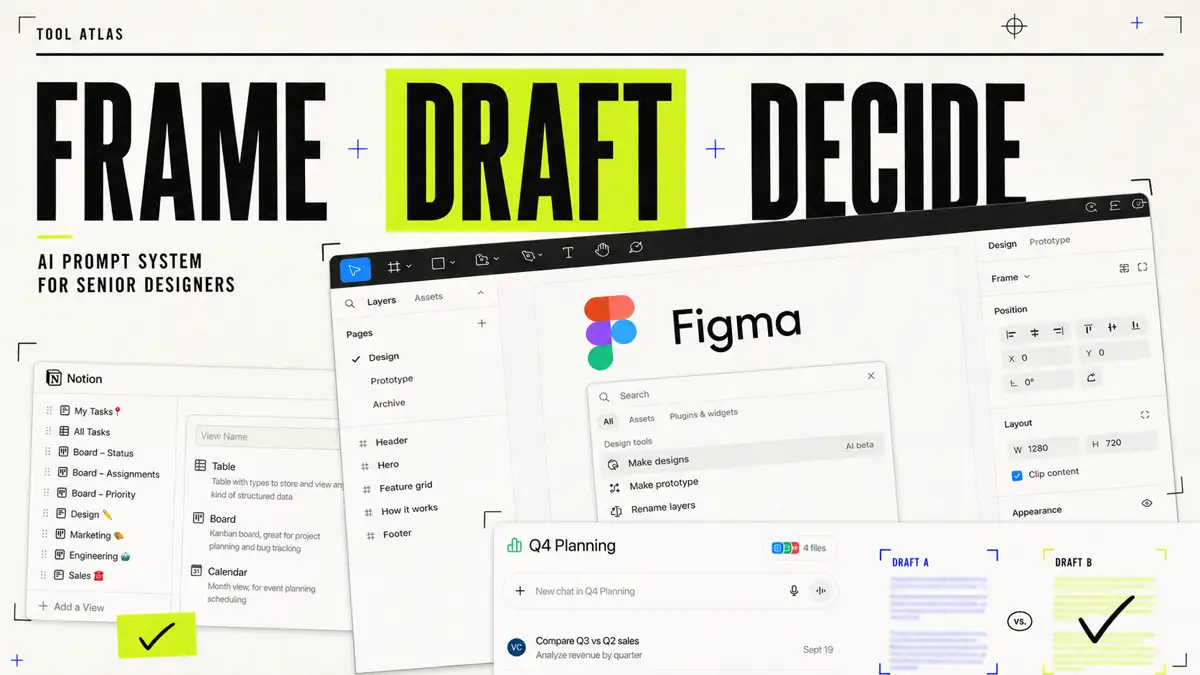
Meanwhile, the tools themselves have advanced. Figma says First Draft can turn ideas into editable wireframes or designs, while Figma Make can generate functional prototypes and applications conversationally. Figma also connects AI workflows to real design-system context through its developer-facing MCP server.3, 4, 5
That is where senior designers earn their advantage. They do not merely ask AI to work faster. They decide which parts of the process should be accelerated at all.1
The Senior Designer’s AI Operating System
The strongest AI workflow I have seen conceptually resembles delegation inside a good design organization. The human acts as design director, researcher of record, editor, critic, and final decision-maker. AI rotates between several subordinate roles: research assistant, divergent thinker, UX writer, layout challenger, accessibility reviewer, prototype builder, QA analyst, and documentation clerk.1
This matters because research on AI-assisted knowledge work suggests that productivity gains are real but uneven. In a field experiment involving 758 BCG consultants, participants using AI completed applicable tasks 25.1% faster and completed 12.2% more tasks; quality also improved on tasks inside the model’s capability frontier. But on tasks outside that frontier, AI use could reduce correctness—the researchers called this uneven boundary the “jagged technological frontier.”2
Design has the same frontier. AI is excellent at expanding, transforming, summarizing, enumerating, and producing first drafts. It is much less trustworthy at deciding whether the underlying problem is worth solving.2, 1
The workflow

The feedback loop is the overlooked part. A senior designer should not start every conversation with a blank chat box. They accumulate reusable constraints, successful prompts, rejected patterns, research terminology, brand rules, accessibility requirements, and decision history. That turns prompting from improvisation into infrastructure.1, 6, 7
Notion’s marketplace already contains dedicated prompt-library and UX-research-repository patterns, reflecting a broader shift toward storing prompts as reusable organizational assets rather than disposable chat messages.6, 7
A practical tool stack might therefore contain a reasoning-capable LLM for synthesis and critique, Figma for editable design and interactive prototyping, an image-generation or editing tool such as Adobe Firefly for visual exploration, and Notion or a similar knowledge system for research evidence, prompt versions, and decisions. Adobe says its current Firefly generative AI models are trained on licensed content, such as Adobe Stock, and public-domain material rather than Creative Cloud customers’ personal content. That is relevant to governance, but it should never be mistaken for a universal guarantee against IP risk.4, 8, 6
| Dimension | Traditional overtime workflow | AI-augmented senior workflow |
|---|---|---|
| Time | Research synthesis, variations, copy, and QA occur serially | AI produces parallel first passes; human time shifts toward evaluation |
| Output quality | Quality depends heavily on remaining attention and energy | Multiple alternatives can be compared before committing |
| Reusability | Much reasoning disappears after the project | Prompts, constraints, and QA criteria become reusable assets |
| Iteration | Each additional option creates more manual work | Generating alternatives becomes cheap; selecting them remains human |
| Psychological cost | Repetitive production consumes late-day cognitive capacity | More attention can be reserved for decisions, critique, and stakeholder alignment |
| Primary risk | Fatigue and rushed execution | Automation bias, generic output, and false confidence |
The last row matters most. The goal is not removing human effort. The goal is spending human effort where it has the highest return.1, 2
The Prompt Library Senior Designers Actually Need
A good design prompt should usually contain six elements: role → context → objective → constraints → output format → evaluation criteria. “Give me onboarding ideas” is weak. “Act as a senior B2B SaaS product designer; use these verified research findings; preserve our existing information architecture; produce three structurally distinct onboarding approaches; explain trade-offs; do not invent research evidence” is an operating instruction.1
Below is a practical library designed for repeated use.1, 6
Research
Expected output: evidence-backed themes rather than generic personas. Post-process: manually check every important claim against raw research. UX practitioners report treating GenAI as a second opinion because generated content can be inaccurate.1
Inspiration and divergent thinking
Expected output: different directions, not twenty cosmetic versions. Post-process: develop at least one human-originated concept before looking at AI suggestions. Research in *Science Advances* found that access to a generative-AI idea could improve individual creative outcomes while making stories across participants more similar; a CHI visual-ideation experiment found evidence of design fixation after exposure to generated imagery.10, 11
Composition and layout
Expected output: structural alternatives. Post-process: rebuild or refine against real components rather than accepting generated pixels as production truth.1, 3
UX copy
Expected output: a copy matrix, not isolated slogans. Post-process: verify product behavior and legal terminology with responsible owners.1
Accessibility
Expected output: a prioritized QA checklist. Post-process: use actual accessibility testing tools and assistive technologies. AI cannot certify conformance. WCAG 2.2, for example, specifies a minimum 4.5:1 contrast ratio for normal text at Level AA, subject to defined exceptions.9
Interaction prototypes
Expected output: behavioral scaffolding. Post-process: prototype the highest-risk interactions and test them with users. Figma Make supports conversational creation of functional prototypes, but human evaluation remains the gate.4
Visual refinement
Expected output: a second pair of eyes. Post-process: accept only changes you can explain in design terms.1
Version management
Expected output: institutional memory. Post-process: attach decisions to the actual source file, ticket, or research record. This final category may be the highest-leverage one. Seniority compounds when yesterday’s reasoning becomes tomorrow’s context.6, 7
A Worked Case: Redesigning SaaS Onboarding
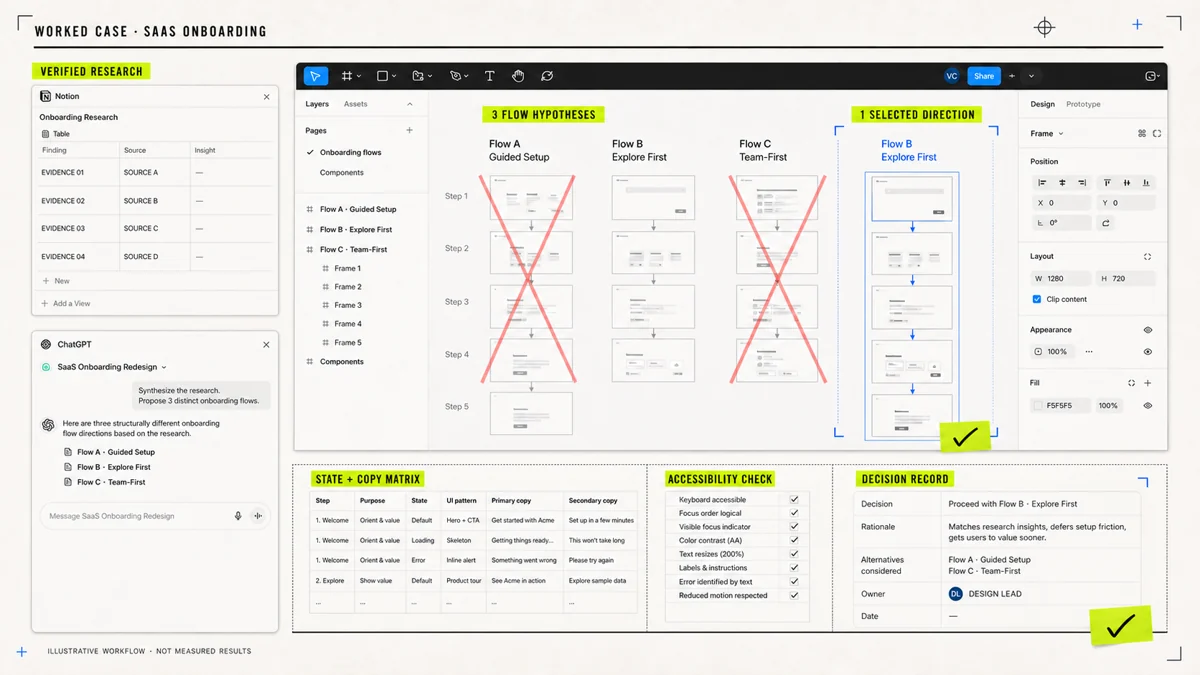
Consider a designer improving onboarding for a B2B analytics application. A traditional afternoon might involve rereading interview notes, manually extracting objections, sketching several flows, writing microcopy, creating edge states, and reviewing accessibility.1
An AI-augmented version starts differently. The designer gives the model verified interview material, asks it to separate evidence from interpretation, and checks the citations. Then the designer defines the strategic constraint: new users must reach their first meaningful dashboard without being forced to configure every integration.1
AI generates three structurally different flows. The designer rejects two. That rejection is not wasted work—it is precisely where senior judgment lives.1, 2
After selecting the direction, the designer asks for the state model, error conditions, and copy matrix, then uses Figma to create and refine the interface. Figma’s current AI tools can accelerate early editable layouts and interactive scaffolding, but the final structure remains deliberately human-controlled.3, 4
An illustrative—not experimentally measured—time comparison might look like this:2
| Task | Manual workflow | AI-augmented workflow |
|---|---|---|
| Research extraction | 90 min | 30 min |
| Alternative flows | 75 min | 30 min |
| Selected wireframe | 90 min | 60 min |
| State + copy matrix | 60 min | 20 min |
| Accessibility/edge-case pass | 45 min | 25 min |
| Total | 6 hours | 2 hours 45 min |
The output is not simply “one screen faster.” It could include three flow hypotheses, one selected wireframe direction, a complete UI-state inventory, twelve microcopy states, an accessibility review checklist, and a decision record.1, 4
The time estimates above are a workflow illustration, not a claim that AI universally cuts design time by a particular percentage. Actual results depend heavily on task type, model capability, design-system maturity, research quality, and the designer’s ability to evaluate outputs—the same “jagged frontier” problem observed in broader knowledge-work research.2, 1
Risks, Adoption, Metrics, and the Future of Design Work
The dangerous interpretation of this article would be: senior designers no longer need to do the work. The correct interpretation is almost the opposite. They need to know the work well enough to delegate it safely.1, 2
Bias and creative convergence are genuine risks. AI-generated inspiration can anchor teams around similar solutions, and research has found both collective homogenization and visual design fixation under some conditions. The practical defense is diversity by design: create human concepts first, use multiple framing perspectives, ask the model to challenge assumptions, and measure concept diversity rather than merely generating more options.10, 11
Copyright requires similar caution. The U.S. Copyright Office’s 2025 report concluded that purely AI-generated material, or material lacking sufficient human creative control, does not receive copyright protection under current U.S. doctrine; prompting alone does not automatically establish authorship. Human selection, modification, and expressive control therefore matter for both design quality and potentially protectable authorship. Rules differ by jurisdiction, so teams should treat this as governance guidance rather than universal legal advice.12
Explainability is another weakness. UX practitioners interviewed in industry research reported distrust when they could not understand how AI arrived at recommendations and emphasized that apparently high-quality output still needed evaluation. A prompt that produces a recommendation should therefore often be followed by another instruction: *What evidence supports this, what assumptions are you making, and what would cause this recommendation to fail?*1
And then there is collaboration conflict. When every designer develops private prompts and private AI habits, teams create invisible parallel design systems. The same industry research found this lack of team-level GenAI practices and recommended shared processes, training, and discussion.1
The first thirty days
Do not begin with twenty AI tools. Pick three repetitive tasks: research synthesis, UX copy, and design QA are good candidates. Measure the current baseline time. Create one approved prompt for each task. Store inputs, outputs, corrections, and failure cases in a shared prompt library.1, 6
Most importantly, record what AI got wrong. That error log is more valuable than another hundred prompts.1
By ninety days
Turn individual experiments into a team operating system. Every reusable prompt should have an owner, version, intended task, approved input types, required human checks, and examples of unacceptable output. Establish rules for confidential research data, customer information, copyrighted material, and generated assets. Maintain a research repository and connect design decisions back to evidence.1, 6, 7
Useful quality metrics include cycle time, first-pass acceptance rate, revision rounds, accessibility defects, unsupported research claims, design-system violations, prompt reuse rate, prototype-to-production rework, and—especially relevant to the premise of this article—after-hours design time.1, 9
That should be the goal, not “AI usage increased.” It becomes more important as AI is embedded directly inside design environments. Figma’s AI surfaces can create editable design material and functional prototypes, while its MCP server can connect external documents and code context to design workflows. The next phase of AI design will be less about copying prompts between chat windows and more about agents operating inside the actual product-development environment.3, 4, 5
A junior designer may ask AI: “Make this screen better.” A senior designer asks: “What problem are we solving, what evidence do we trust, which constraints cannot move, what work can be delegated, what must remain human, and how will we know the result is better?”1, 2
AI can reduce the time between question and artifact. It cannot decide which questions deserve your career. That is why the best senior designers of the AI era will not necessarily be the people who generate the most screens or memorize the most prompts.1, 2
They will be the people who build systems in which human judgment becomes the scarce resource—and stop wasting that resource on work a machine can draft at 4:30 p.m. instead of a designer finishing it at 11:30 p.m.1, 2