
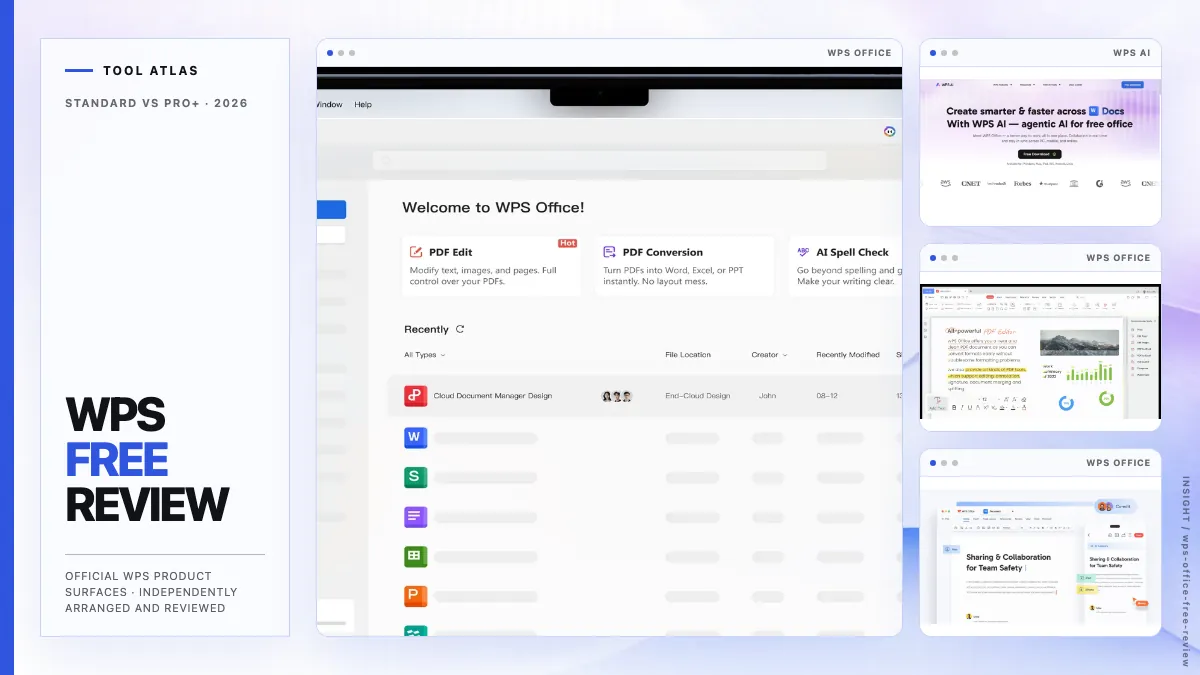
Editor's verdict
WPS Office Standard is worth trying if you want familiar desktop document, spreadsheet, and presentation tools without paying upfront. The free tier covers routine office work, and the built-in PDF workspace replaces several small utilities. Microsoft 365 remains the safer choice for VBA, strict Office handoff, and enterprise administration; Google Workspace is better for browser-based collaboration.1, 2, 9, 7, 8, 6, 13, 14, 15, 16, 17, 18, 19
Best for
- People who want familiar desktop Office tools without starting a subscription.
- Students, freelancers, and small operators working with ordinary DOCX, XLSX, PPTX, and PDF files.
- Mac or Windows users willing to test three important files before switching editors.
Keep comparing if
- Workbooks that depend on VBA, macros, complex models, plug-ins, or external data.
- Documents and decks with a contractual requirement for exact Microsoft Office layout.
- Organizations that need Microsoft administration or Google-native live collaboration.
Pros
- Standard is listed as free and requires no credit card on the current WPS plan page.
- Writer, Spreadsheet, Presentation, and PDF share one familiar desktop application.
- WPS publishes Windows, macOS, Linux, Android, and iOS versions under the same product family.
- Pro+ adds advanced PDF tools, more templates and storage, and broader WPS AI access.
Cons
- A restricted font produced a concrete PDF export warning in our DOCX test.
- Advanced PDF, templates, storage, and AI cross into plan or account limits.
- Microsoft Office round-trip fidelity still depends on the files and workflow you use.
Why I think WPS is worth trying
If you have used Microsoft Office for years, the WPS layout is easy to recognize. Writer, Spreadsheet, and Presentation use an Office-style ribbon, familiar file menus, and editing patterns that Word, Excel, and PowerPoint users already know. LibreOffice is a capable free desktop suite, while ONLYOFFICE suits open-source or self-hosted setups; WPS usually requires less adjustment for Microsoft Office users.1, 2, 3, 4, 5, 13, 14, 15, 16
Standard does more than open files. You can write a report, maintain a budget, edit a presentation, and read a PDF before deciding whether another subscription belongs in your budget. WPS labels the plan Free and No Credit Card Required; Pro+ adds the features that make sense for heavier PDF work, a larger template library, more storage, and broader AI use.2
WPS keeps documents, spreadsheets, slides, PDFs, templates, cloud features, and WPS AI in the same product. The desktop apps work with local, offline files, and WPS also publishes versions for Windows, macOS, Linux, Android, and iOS. A freelancer can finish a proposal on a laptop and use the same product family on a phone or tablet.1, 2, 3, 4, 5, 7, 8, 6

Unlike many free office suites, WPS combines an Office-style desktop interface with built-in PDF tools. Microsoft 365 remains the better fit for Microsoft-heavy organizations, while Google Workspace is stronger for real-time browser collaboration. LibreOffice and ONLYOFFICE are worth comparing when open-source licensing or self-hosting matters more.1, 2, 5, 13, 14, 15, 16, 17, 18, 19
For ordinary personal or small-business work, I would try WPS and keep the old editor until the important files pass. A macro-heavy workbook, a legal template with fixed pagination, or a client deck built around complex masters still needs a round-trip check.1, 2, 5, 13, 14, 15, 16, 17, 18, 19
A quick Mac reality check
What we checked, and what we did not
- Observed on this Mac
We opened synthetic DOCX, XLSX, PPTX, and PDF files in WPS 12.1.26046 on an Apple Silicon Mac and tried the routine editing, calculation, export, and search paths covered in this review.9
- From WPS
Plan limits, AI examples, privacy statements, and advanced functions come from current WPS pages. AI and Pro+ visuals are official WPS material, not paid-feature tests by Tool Atlas.1, 2, 6, 10
- Not tested
Windows, mobile apps, cloud collaboration, macros, plug-ins, enterprise deployment, AI requests, Pro+ execution, OCR output, and Microsoft Office round-trip remain outside this review.9, 5

Our check used WPS 12.1.26046 on an Apple Silicon Mac running macOS 26.5.2 build 25F84. WPS was already installed, so we reviewed a working session and left the installer outside the test. The composite above contains our only interface captures; the rest of the article uses official WPS visuals so you can see the broader product, including features outside our free account.9
Comments and tracked changes remained visible in our DOCX, the spreadsheet recalculated common formulas, all seven slides opened and exported, and PDF search found the expected text. WPS also warned that a restricted font could not be embedded during PDF export, giving us a specific issue to check before delivery.9
We built these files for the review, so they contain no private material or years of editing history. They cannot represent a complex company template or a Microsoft Office round trip. The test did not produce a reproducible performance benchmark. Test your own important files before switching editors.9
What does free mean?
You can do useful work in WPS Standard without upgrading. The current plan includes the core desktop applications, basic PDF features, the free Reader, limited template downloads, 1 GB of cloud space, 47 file formats, and 46 languages. Platform and build can change the exact controls, but writing, calculating, presenting, and reading PDFs remain part of the free starting point.2, 5
Pro+ is aimed at people who regularly need full PDF editing and conversion, unlimited template downloads, advanced text recognition, electronic signatures, 20 GB of cloud storage, no advertising, or essential AI tools with usage limits. The US page showed $69.99 a year, or $5.83 a month when billed annually, on 2026-08-08 and said the displayed price applied to PC and Android. Check your regional page before paying.2

| Area | Standard | Pro+ | Decision test |
|---|---|---|---|
| Core Office apps1, 2, 3, 4, 5 | Writer, Spreadsheet, Presentation, and PDF in the free suite | The same suite with paid entitlements | Start with Standard when ordinary desktop editing is the job |
| Basic and advanced Office features2 | Basic Office features | Advanced Office features | Verify the named advanced command before paying |
| PDF reading7, 2 | Free PDF Reader and basic PDF features | Reader plus the broader paid PDF set | Standard is enough when viewing and basic work complete the task |
| PDF editing and conversion7, 8, 2 | Some entry points are visible, but full tools are not assigned to Standard | Full PDF editing and conversion | Check the exact command and current paywall before a deadline |
| Cloud storage2 | 1 GB | 20 GB | Capacity does not prove sync, recovery, or collaboration quality |
| Templates2 | Limited template downloads | Unlimited template downloads | Upgrade only if the paid library removes repeat work |
| AI use6, 2 | The feature table shows limited access for listed AI tools | Essential AI tools with usage limits and broader access in the feature table | Confirm the named tool, account, region, and quota before paying |
| File-format support2, 5 | 47 formats on the plan page; Tech Specs lists extensions | The same plan category | A format list does not prove fidelity inside a complex file |
| Language support2, 5 | 46 languages on the plan page | The same plan category | Verify the interface language on your platform and build |
Compare WPS Standard and Pro+ on the official WPS site
Plan names, prices, quotas, promotions, and AI access can change. Check the current WPS page before you rely on one entitlement.
2Can WPS handle everyday Office work?
Scenario 1: I received a Word document from work
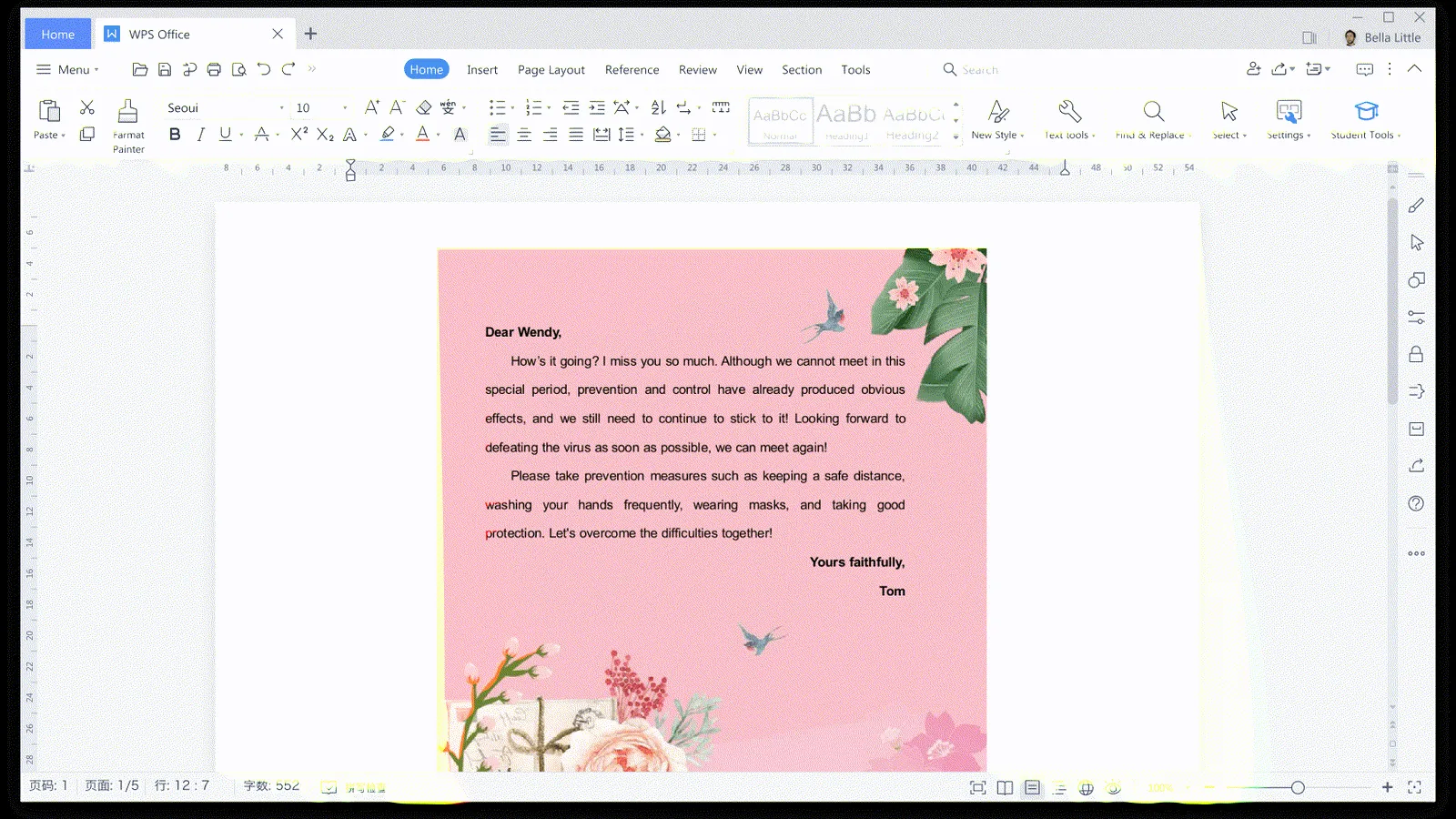
Open a DOCX and WPS puts the ribbon, page view, formatting controls, comments, and Track Changes where a Word user expects to find them. Letters, reports, assignments, and client drafts do not require a new editing habit, and the desktop app keeps working without a browser connection.1, 2, 3, 4, 5
Our two-page sample kept its headings, table, floating image, comment, and tracked edit. We changed the title, saved a copy, and exported a PDF with selectable text. WPS displayed Restricted fonts are not embedded in PDF and named Courier, so I would replace the font or inspect the PDF on another device before sending a formal document.9
For a Word attachment, I would try WPS before moving the file into Google Docs. Microsoft Word remains the safer final check for contracts, theses, long reports, fields, or fixed pagination. WPS is easy to try and covers routine editing well, but a complex document can still change when it moves between applications.9, 13, 14, 15, 16, 17, 18, 19
Scenario 2: I need a spreadsheet for everyday calculations
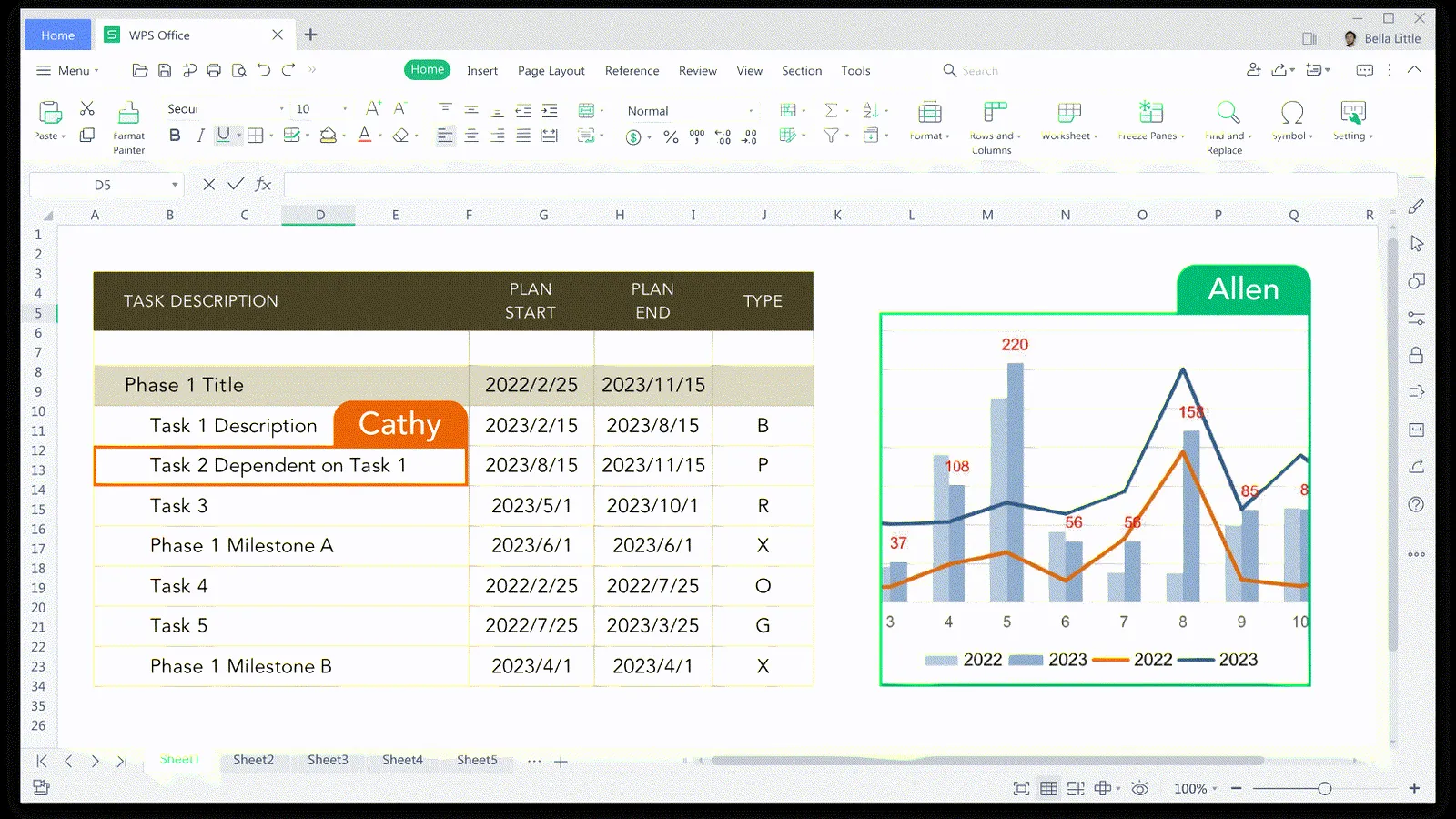
The spreadsheet covers the work many users call 'an Excel file': budgets, sales trackers, inventory lists, class projects, and recurring business calculations. The desktop workbook has the expected formula bar, filters, formatting, charts, and sheet tabs. You get more of the conventional spreadsheet experience than a lightweight browser grid, without paying for Excel before you know you need it.1, 2, 3, 4, 5
The sample workbook kept its frozen rows, filters, currency and percentage formats, conditional formatting, and chart. SUM, SUMIFS, COUNTIF, IFERROR, VLOOKUP, and XLOOKUP returned the expected values. Changing one input updated the totals and chart, after which we saved a copy and a PDF. That covers a useful slice of routine spreadsheet work.9
Google Sheets has the edge when several people edit at once. Excel remains the safer home for VBA, macros, Power Query, external connections, large models, or specialist add-ins. WPS Standard fits local spreadsheets that need familiar controls and common formulas without those dependencies.9, 5, 13, 14, 15, 16
Scenario 3: I need to send a presentation
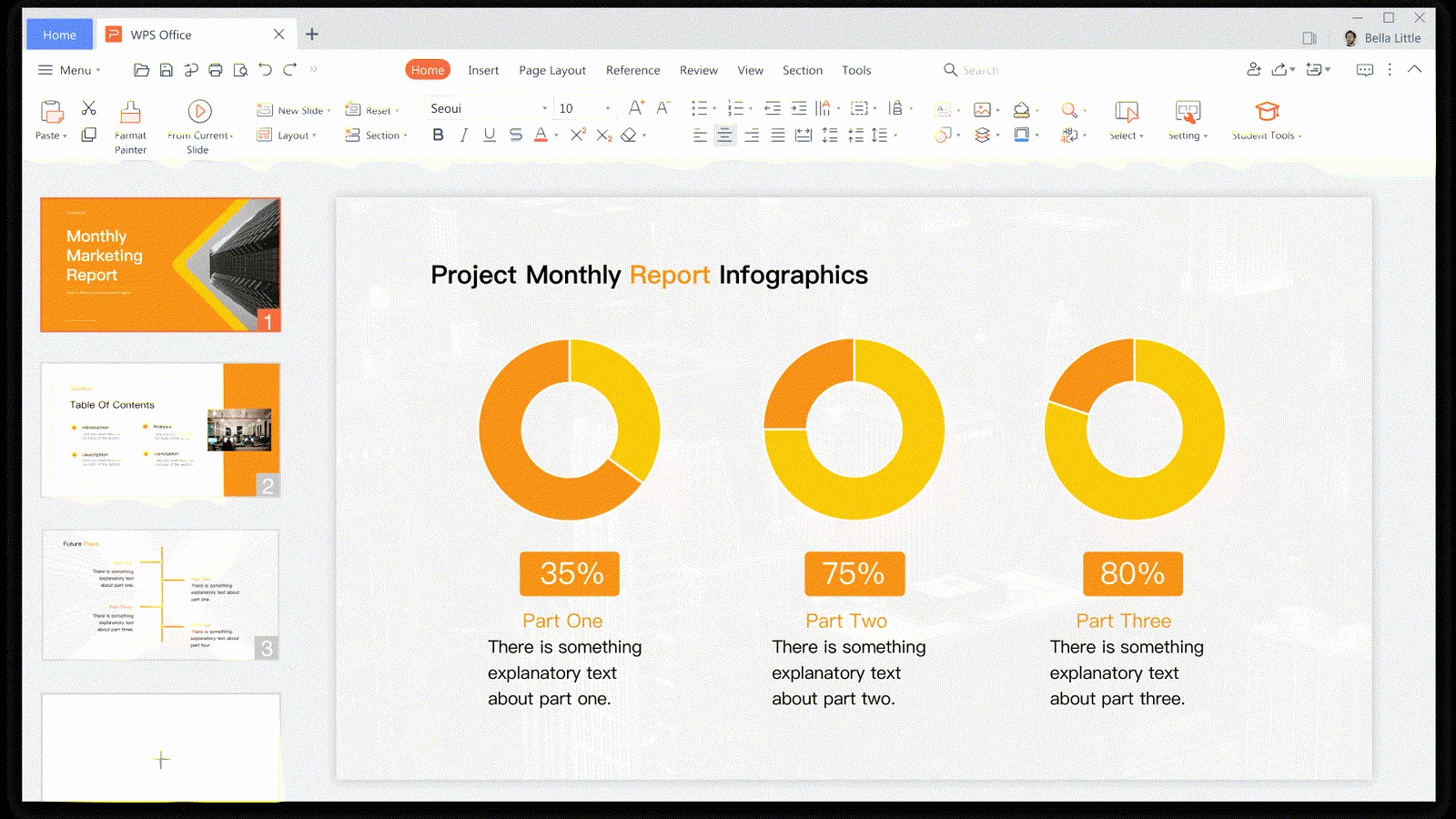
If you know PowerPoint, the canvas, slide rail, formatting ribbon, charts, images, tables, and PDF export are where you expect them. Students, freelancers, and small businesses can build a routine deck without learning a separate design service or buying another office subscription.1, 2, 3, 4, 5
Our seven-slide sample opened with its title page, cropped image, transparent shapes, table, notes entry, and chart visible, then exported as a seven-page PDF. We did not establish a reliable edited-save result, so this check supports opening and export for that deck. It does not cover every PowerPoint editing path.9
I would build a routine presentation in WPS and check the exported pages before delivery. PowerPoint remains the safer choice when a deck depends on animation, embedded media, complex masters, company fonts, or tightly controlled brand layouts. Our baseline came from a synthetic file, not a Microsoft PowerPoint round trip.9, 13, 14, 15, 16
Scenario 4: I need to read or change a PDF
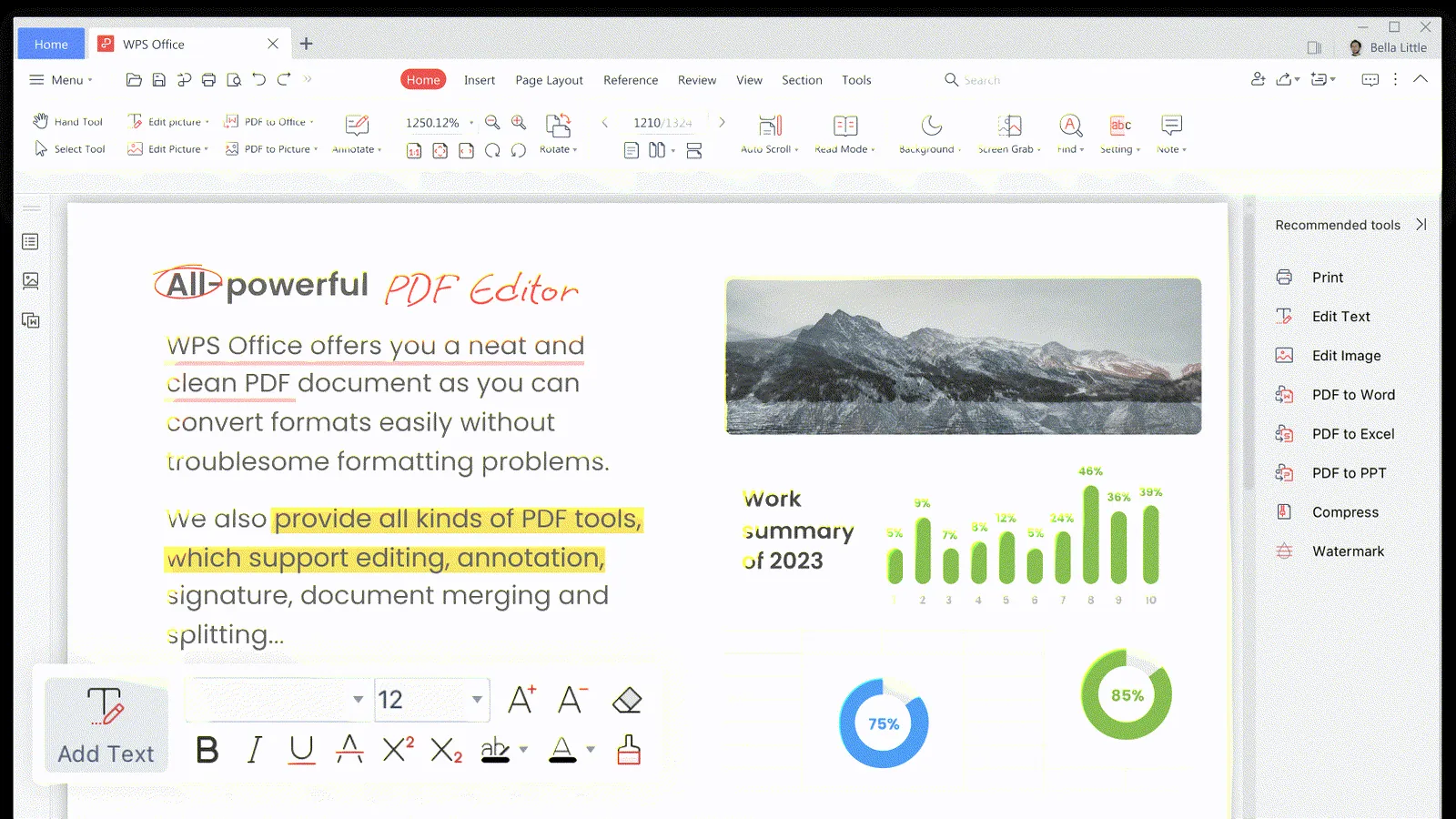
The built-in PDF workspace is the clearest difference between WPS and many free Office alternatives. It sits beside the document, spreadsheet, and presentation editors instead of appearing only at export. Standard includes the free Reader and basic features, so you can open a file, search it, select text, change the view, and return to the source document without leaving the suite.7, 8, 2, 13, 14, 15, 16, 17, 18, 19
Our three-page PDF opened at the correct page count and found ATLAS-PDF-READER-2026 as expected. A separate scan showed recognition, text-editing, extraction, and conversion entry points. We stopped before OCR, annotation saving, or purchase, so our Standard session did not complete those workflows.9, 7, 8, 2
PDF work provides the clearest reason to consider Pro+. Viewing and search stay in the free core. If you regularly edit, convert, run OCR, sign, or reorganize PDFs, compare Pro+ with Adobe Acrobat or another dedicated PDF editor. Keeping those tools beside your office files is convenient, but the right choice depends on which PDF commands you use.9, 7, 8, 2
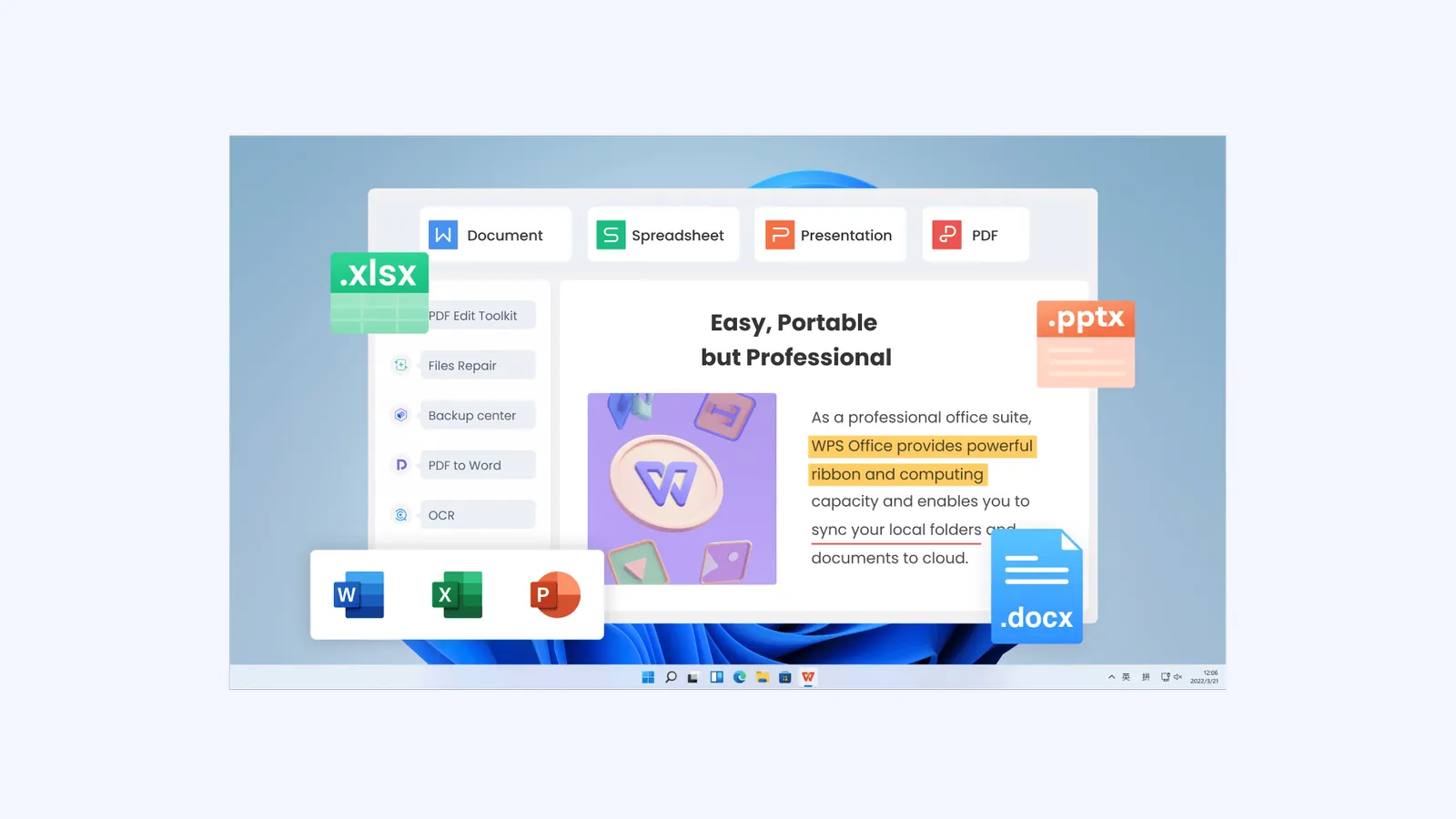
What you get beyond the free core
WPS pairs its free editors with templates, more cloud storage, advanced PDF tools, and WPS AI. A solo professional or small team can add those features inside the same suite instead of maintaining separate writing, PDF, slide, and document-assistance subscriptions.2, 7, 8, 6, 3, 4, 5
- WPS AI: official pages present drafting, rewriting, summarization, translation, slides, PDF, and spreadsheet assistance.
- Templates: Standard includes limited downloads, while the current plan table assigns unlimited downloads to Pro+.
- PDF: the free Reader sits beside paid editing, conversion, OCR, signature, and other advanced workflows.
- Cross-device work: WPS publishes desktop and mobile routes, with account and cloud features available when the workflow needs them.
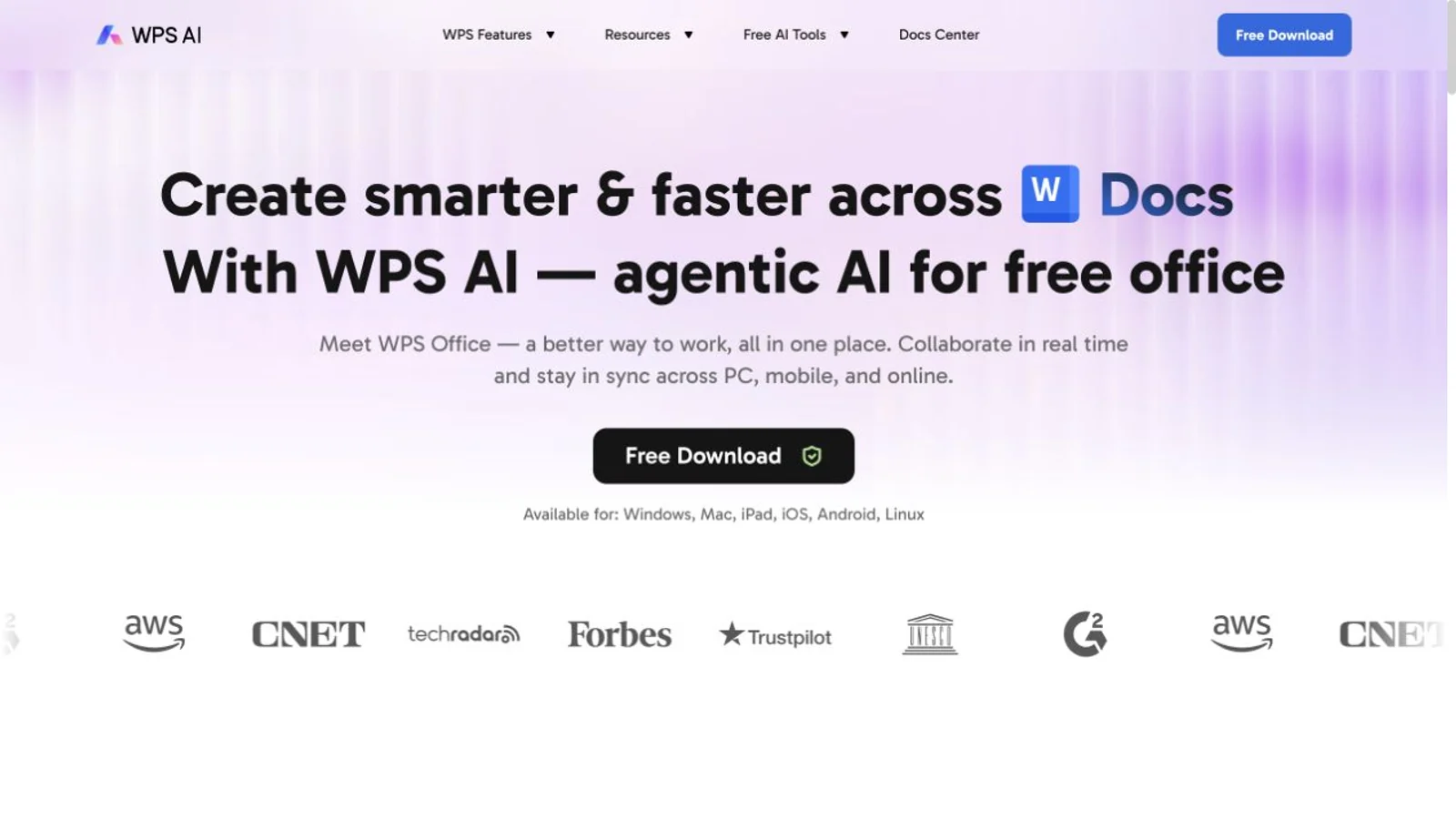
WPS places AI inside documents, slides, PDFs, and spreadsheets for drafting, rewriting, questions, and other assistance. We use official visuals here because we did not submit prompts or buy Pro+. Check the current plan for output limits, regional access, and account requirements.6, 2, 9
Local editing, cloud sync, sharing, and AI use different data paths. WPS says its AI services process inputs and generated outputs and advises users not to submit personal data, privacy information, business secrets, or other sensitive material. Keep sensitive files local unless you need cloud sync, sharing, or AI, and review the privacy terms for each feature before enabling it.10, 9
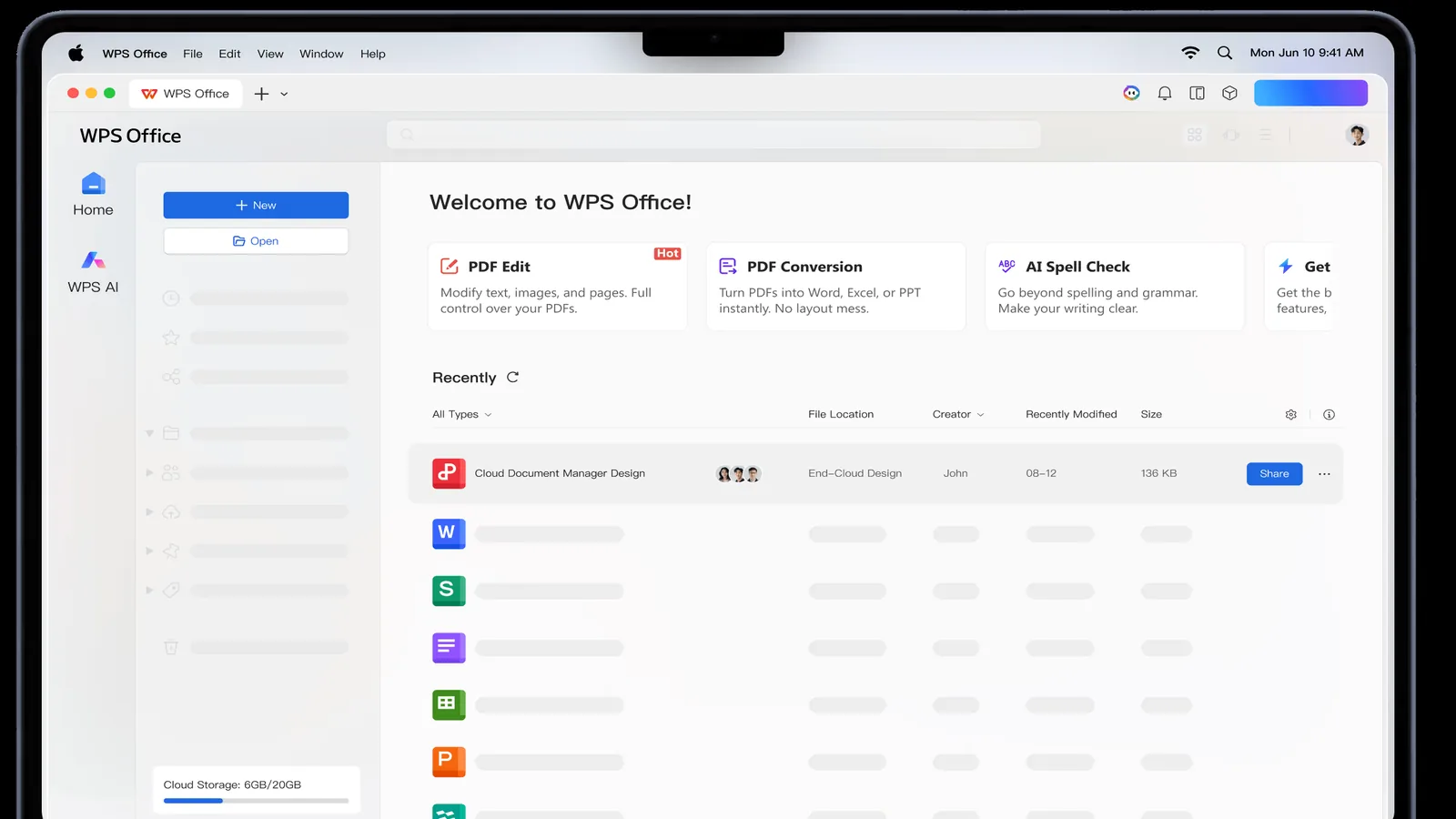
Keep WPS updated before opening files from unknown sources. ESET documented two historical WPS Office for Windows vulnerabilities and reported that both were patched; NVD records one of them for a specific Windows version range. Those records do not describe the Mac build in our check. They support ordinary update hygiene rather than a claim that the current Mac release carries the same issue.11, 12, 9
Which office suite should you choose?
Choose the suite that best handles the work you cannot afford to break. WPS is a practical first choice for familiar desktop editing and built-in PDF tools. Microsoft 365 is better for VBA, strict Office handoff, and enterprise administration; Google Workspace is better for real-time browser collaboration. Compare LibreOffice or ONLYOFFICE when open-source licensing or self-hosting is the priority.1, 2, 13, 14, 15, 16, 17, 18, 19, 9
| Primary need | First suite to compare |
|---|---|
| Familiar free desktop documents, spreadsheets, slides, and integrated PDF work1, 2, 9 | WPS Standard |
| Company work already depends on Microsoft 365, VBA, or strict Office handoff13, 14, 15, 16 | Microsoft 365 |
| Browser collaboration and the Google ecosystem come first17, 18, 19 | Google Workspace |
| Open-source licensing or self-hosting comes first5 | LibreOffice or ONLYOFFICE |
| You regularly need advanced PDF, OCR, conversion, templates, storage, or WPS AI2, 7, 8, 6 | WPS Pro+, after checking the current plan |
Our full office-suite comparison covers price, governance, and ecosystem choices in more depth. Read it if you are choosing software for a team or purchase; this review focuses on whether Standard fits your own computer and when Pro+ is useful.1, 2, 13, 14, 15, 16, 17, 18, 19 Compare WPS with Microsoft 365 and Google Workspace
Who should download WPS Office
Start with Standard if
- You work with ordinary DOCX, XLSX, PPTX, and basic PDF files.
- You want a familiar desktop workflow without paying before the test.
- You can keep your current editor while three important files pass acceptance.
Keep comparing if
- VBA, macros, complex Excel models, plug-ins, or external data carry business risk.
- Word or PowerPoint layout must match a controlled Microsoft Office output.
- Your work depends on enterprise administration or Microsoft- or Google-based collaboration.
Run the three-file test
- Open your most complex DOCX. Check fonts, pages, fields, tables, comments, revisions, and PDF output.
- Open your most important XLSX. Recalculate, inspect formulas, filters, formats, charts, macros, and external links, then save a copy.
- Open your most-used PPTX. Check masters, fonts, image crops, charts, notes, animation, and exported pages.
Use Save As and leave the originals untouched. Open the copies and PDFs in the application or device that will receive them, then keep the old editor until another person, printer, client, or automated step accepts the output. Mac users should choose the current Mac version in the download center; our check did not cover the installer or Intel build.1, 3, 4, 5, 9
Frequently asked questions
Is WPS Office really free?
Yes. WPS lists Standard as Free and includes the core editors, basic PDF features, the free Reader, limited templates, and 1 GB of cloud space. Pro+ adds the full PDF set, more storage, unlimited template downloads, and broader paid entitlements. Free describes the core suite, not every feature WPS advertises.2
Does WPS Standard require a credit card?
WPS displayed No Credit Card Required under Standard on 2026-08-08. Store and account prompts can vary by region, so read them before continuing.2, 1, 9
Can WPS open Microsoft Office files?
WPS lists DOCX, XLSX, and PPTX support, and our synthetic samples opened with the results described above. We did not reopen the saved copies in Microsoft Word, Excel, or PowerPoint. Test your own complex files before removing Microsoft Office from a production workflow.5, 9
Which WPS version should a Mac user choose?
Choose the Mac download from WPS's current platform page and match Apple Silicon or Intel to your hardware. Our evidence covers an existing Apple Silicon installation of WPS 12.1.26046. It does not cover the installer, Intel build, another macOS release, or managed deployment.1, 3, 4, 5, 9
When is Pro+ worth paying for?
Consider Pro+ if you regularly need full PDF editing or conversion, OCR, signatures, more cloud storage, unlimited templates, or a WPS AI feature. Check the plan, region, platform, account, and quota before paying. If Standard already does the job, stay on the free version.2, 7, 8, 6
Is WPS suitable for sensitive documents and AI work?
Keep sensitive files local when sync, sharing, or AI adds no value. WPS states that its AI services process input and generated output and tells users not to submit personal data, privacy information, business secrets, or other sensitive data. We did not upload files, invoke AI, or inspect network traffic.10, 9