
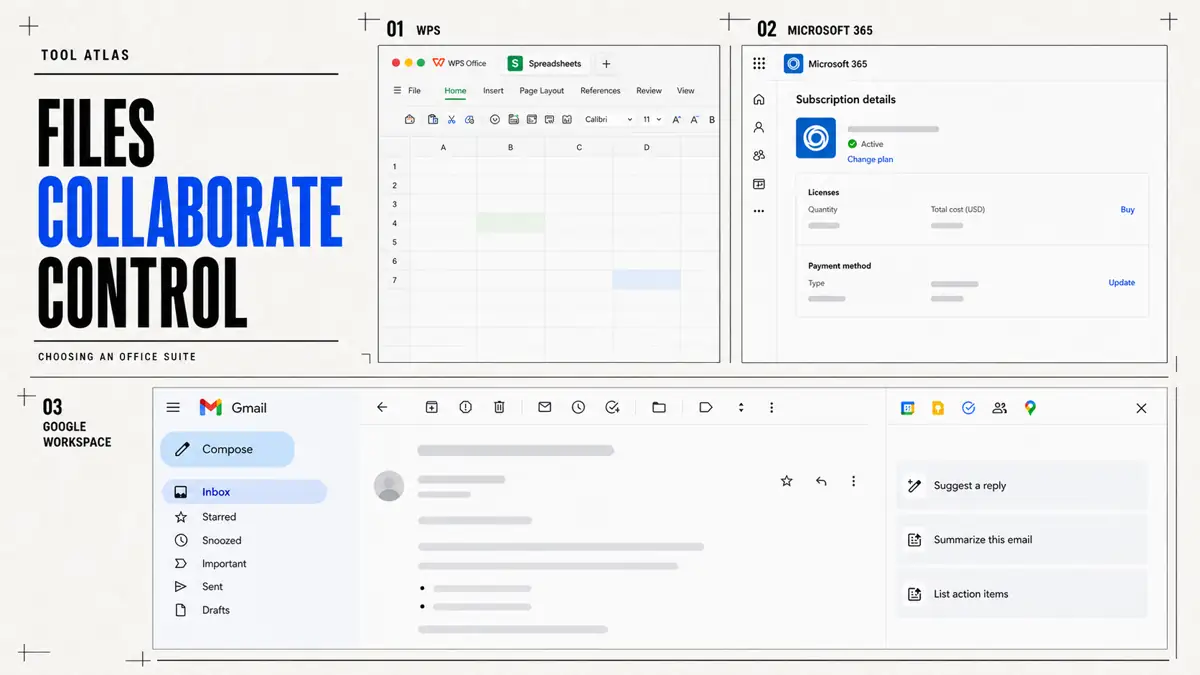
Start with three different work systems
WPS Office, Microsoft 365, and Google Workspace can all handle documents, spreadsheets, and presentations. They organize daily work around different defaults. Microsoft 365 centers Office files, Windows endpoints, and enterprise governance. Google Workspace starts with browser-native collaboration. WPS brings Chinese office work, Office formats, PDF, and cross-platform access into one package. The useful comparison asks how your team delivers files each day and who handles the recovery when something goes wrong.5, 7, 8, 14, 15, 13, 1
Microsoft 365 usually offers the lowest-risk starting point when your work depends on complex Excel models, VBA, long-lived Word templates, PowerPoint masters, and precise print output. Google Workspace fits teams that keep documents in the cloud from the moment they create them, then edit, comment, and restore versions through links. WPS suits individuals and small teams that need Chinese documents, integrated PDF work, Linux or domestic operating environments, and familiar Office workflows at a lower license cost.5, 7, 8, 14, 15, 13, 1, 2
| Buyer route | Recommended starting point | Why this route starts here | Pilot focus |
|---|---|---|---|
| Individual | WPS Standard: free; WPS Pro+: 69.99 USD/year | Start with the lowest-cost route when familiar Office formats, PDF work, and cross-platform access matter more than team governance. | Round-trip representative Office files, export PDFs, test offline work, and confirm which Pro+ features the real workflow needs. |
| Five-person team | Microsoft 365 Business Standard or Google Workspace Business Standard: 14 USD/user/month on an annual commitment, or 840 USD/year for five users; WPS 365: contract inquiry | Choose Microsoft for complex Office files and desktop continuity, or Google for browser-native collaboration; price and verify WPS 365 separately when localization or deployment requirements justify it. | Test real files, guest sharing, version recovery, ownership, account offboarding, and the collaboration route the team will use every day. |
| Managed organization | Microsoft 365 Business Premium or Google Workspace Business Plus: 22 USD/user/month on an annual commitment; WPS 365: contract inquiry | Begin with the identity, device, retention, audit, and security controls the organization must operate, then choose the suite that can prove them in the required region and contract. | Run joiner, mover, leaver, external-sharing, retention, audit-export, incident-recovery, and representative-file tests before migration. |
| Primary working condition | WPS Office / WPS 365 | Microsoft 365 | Google Workspace | Decision focus |
|---|---|---|---|---|
| Complex Office files, VBA, formal print output | A lower-cost compatibility path, with macro and layout checks for every file | The default choice, with the strongest file fidelity and VBA ecosystem | Handles ordinary Office files; complex objects and VBA need retention or redesign | Test representative files first. File extensions are not enough |
| Concurrent editing, comments, asynchronous handoffs | Collaboration is available; confirm permissions and storage by version | A mature path across desktop, Web, Teams, and SharePoint | The shortest path to browser-native collaboration | Confirm guest access, versions, ownership, and recovery rules |
| Chinese documents, official documents, PDF, domestic environments, or Linux | Prioritize its localization, PDF workflow, and Linux support for evaluation | Chinese support is mature; check regional services and legacy plugins | Broad browser coverage, with a smaller local template and implementation ecosystem | Test networks, fonts, peripherals, data location, and local support |
| Identity, endpoints, DLP, audit, and eDiscovery | Enterprise capabilities vary by version and deployment; verify them in the contract | The Entra, Intune, Defender, and Purview combination is the most complete | Admin, Vault, DLP, and data regions fit cloud-native governance | Map each control. An assurance badge does not prove full governance |
| Complex organizations with distinct roles | Can cover Chinese-language and local-platform roles | Keep specialist seats for complex files and high-governance roles | Provide the primary environment for browser collaboration and distributed roles | A controlled dual stack is often more practical than one forced standard |
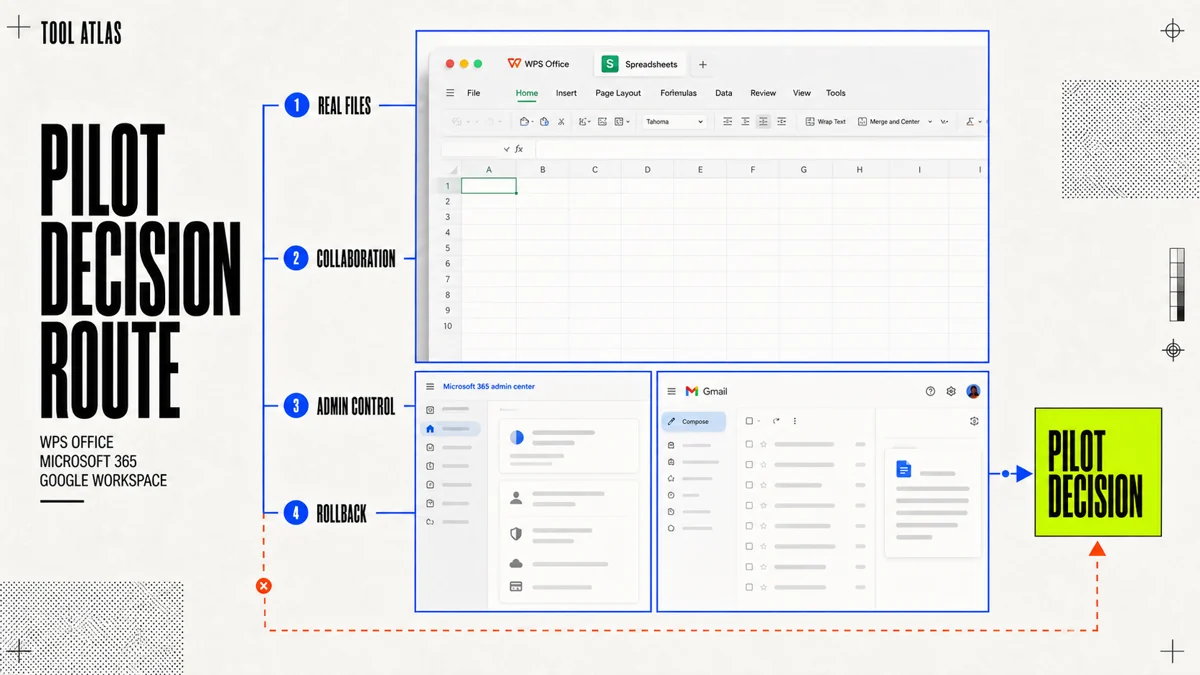
A single score cannot produce a universal winner across these products. A complex organization can run a controlled dual stack: keep Microsoft 365 Apps for roles that depend on Excel and formal layouts, use Google Workspace for browser-first teams, and assign WPS to specific Chinese-language, PDF, or domestic-environment workflows. Write down account ownership, file ownership, sharing boundaries, support responsibility, and exit conditions before you start. Without those rules, the dual stack becomes two unmanaged systems.9, 10, 11, 16, 17, 18, 3, 4
Test files, automation, devices, and collaboration
Basic writing has converged across the three suites. Complex files still carry the risk: fonts, pagination, tables of contents, cross-references, comments, tracked changes, formulas, data models, embedded objects, animations, and print output. Opening a file proves that the entry point works. A compatibility test passes when you can open, edit, calculate, export, reopen, and accept the result.5, 7, 8, 14, 15, 13, 1
| Work object | WPS Office | Microsoft 365 | Google Workspace | Acceptance test |
|---|---|---|---|---|
| DOCX, XLSX, PPTX | Routine files are easy to start with; test complex objects | The reference path for Office formats and the safest route for complex files | Edit Office files directly or convert them to Google formats | Use real files and compare layout and results after a round trip |
| Long documents and professional layouts | Sample fonts, fields, pagination, and embedded objects | The strongest control over contents, references, masters, mail merge, and printing | Smooth drafting and comments, with higher conversion risk for complex layouts | Export to PDF and check pagination, footnotes, headers, and footers |
| Advanced spreadsheets and data models | Common functions, pivot tables, and charts cover routine needs | Complex Excel, data models, and Power Query assets carry forward more easily | Light analysis, form data, and online dashboards feel more natural | Check formula values, refresh results, external connections, and permissions |
| VBA, XLSM, and macros | Some Windows enterprise versions support VBA; test the code | The most mature VBA ecosystem, plus Office Scripts, Power Automate, and Office.js | Does not run VBA; teams usually rewrite it as Apps Script or keep Excel | Inventory COM, database, file-system, and third-party DLL calls |
| PDF editing, OCR, and signatures | Integrated PDF editing, conversion, OCR, and signature tools are a strength | Handles some text-based PDFs, but does not replace a full PDF workstation | Good for preview, comments, forms, and light annotation | Sample scans, tables, signed documents, and two-column files |
| Windows, macOS, Linux, and mobile | Broad coverage across Windows, macOS, Linux, iOS, Android, and the Web | Desktop capabilities are strongest on Windows and macOS; Linux relies mainly on the Web | Windows, macOS, and Linux use the browser as the main path; mobile apps are mature | Test peripherals and printing on the lowest-spec production device |
| Offline and weak-network work | Desktop clients suit local folders and sustained offline work | Desktop clients provide the strongest offline capability | Enable offline access first; test conflicts and large files | Complete a task offline, then check conflicts, permissions, and versions after reconnection |
Automation receives too little attention during migration. Microsoft 365 can carry VBA forward and adds Office Scripts, Power Automate, Graph, and Office.js. Google Apps Script supports cloud JavaScript workflows across Gmail, Drive, and Sheets. WPS VBA compatibility depends on the Windows enterprise version, code style, and called objects. Macro migration often costs more than document migration. First record what each macro reads and writes, then choose redesign, specialist seats, or retirement.5, 7, 8, 14, 15, 13, 3, 4
Collaboration changes the cost model. Google Workspace makes shared links, version history, and concurrent editing the default path. Microsoft 365 connects desktop files with OneDrive, SharePoint, Teams, and enterprise identity. WPS collaboration, permissions, and local-platform connections require a check against the specific WPS 365 version. Before sending a link, inspect the guest view and rehearse offboarding, external review, and recovery from accidental deletion.14, 15, 13, 9, 10, 11, 3, 4
Compare governance, security, and service boundaries
Enterprise buyers purchase a set of controls for identity, permissions, devices, audit, retention, export, and incident response. Microsoft 365 links Entra, Intune, Defender, and Purview, which fits organizations with an existing Microsoft identity and Windows management stack. Google Workspace combines Admin, Vault, DLP, data regions, and context-aware access for browser-first governance. WPS 365 appeals to teams that need Chinese-language workflows, local identity sources, and industry adaptation. Verify its enterprise controls by version, region, deployment model, and contract.9, 10, 11, 16, 17, 18, 3, 4
| Governance area | WPS 365 | Microsoft 365 | Google Workspace | Procurement check |
|---|---|---|---|---|
| SSO, provisioning, and recovery | Confirm SSO, WeCom, DingTalk, and related capabilities by version | Mature Entra, hybrid AD, SCIM, and HR ecosystem integrations | Cloud Identity, SAML, OIDC, and directory APIs are available | Run an end-to-end test for joiners, movers, and leavers |
| Endpoint management | Confirm the admin console and deployment boundary in the contract | Intune connects closely with Windows, macOS, iOS, and Android | Endpoint and Chrome management fit browser-first environments | Test personal, shared, and offline devices |
| File permissions and external sharing | Confirm team spaces, sharing, and revocation by version | SharePoint, OneDrive, Teams, sensitivity labels, and conditional access | Drive, Shared Drives, sharing restrictions, and trust rules | Verify external guests, anonymous links, inheritance, and revocation |
| DLP and information protection | Verify official capabilities and coverage item by item | Purview combines DLP, labels, lifecycle controls, and eDiscovery | Enterprise editions provide DLP, data regions, and context controls | Request a demonstration of rules, alerts, blocks, and exports |
| Audit, retention, and eDiscovery | Confirm activity, sign-in, and admin logs by version | Audit, eDiscovery, Legal Hold, and retention are mature | Admin logs, Vault, investigations, and retention policies are mature | Confirm log retention, searchable fields, and legal-hold procedures |
| Data location and keys | Verify global and China editions separately from the deployment model | Tenant regions, Multi-Geo, and Customer Key depend on the plan | Data regions and enterprise controls depend on the edition | Request DPA, subprocessors, deletion, and key-management materials |
| SLA and support | Put team support and enterprise SLA terms in the contract | Enterprise support and online-service SLA materials are public | The public Workspace SLA promises at least 99.9% monthly uptime, with service credits available for eligible failures | Specify P1 response, escalation, RTO, RPO, remedies, and maintenance windows |
| AI data boundaries | Verify retention and disablement options by product, region, and contract | Check the Copilot, Purview, audit, and licensing combination | Check Gemini, Workspace intelligent features, regions, and admin controls | Request evidence for training use, retention, disablement, and audit |
An assurance badge does not replace procurement evidence. Security and legal teams should obtain certificate scope, the DPA, subprocessors, data-residency options, customer-key details, deletion procedures, incident notices, and service-credit terms. High-compliance buyers also need to separate cloud, regional cloud, dedicated deployment, isolated environments, and fully offline operation. Each one carries a different deployment commitment.3, 4, 9, 10, 11, 16, 17, 18
Compare 2026-08-02 U.S. list prices and three-year TCO
This price snapshot uses US list prices published by the vendors and available on 2026-08-02. It excludes taxes, regional adjustments, reseller discounts, AI add-on licenses, and long-term enterprise agreements. Microsoft 365 business plans use the new prices effective 2026-07-01. Public pages do not provide a single directly comparable price for WPS 365 enterprise editions or Google Workspace Enterprise, so the table retains inquiry and contract-based pricing.1, 5, 6, 12
| Product and plan | List price | Annualized | Storage | Desktop editor | Typical audience |
|---|---|---|---|---|---|
| WPS Standard | Free | 0 USD | 1 GB | Yes | Basic personal use |
| WPS Pro+ | 69.99 USD/year | 69.99 USD | 20 GB | Yes | PDF, templates, and personal premium features |
| WPS Sharing Plan | 29.99 USD/user/year | 29.99 USD/user | 20 GB per user | Yes | Family or light multi-user sharing; not an enterprise governance suite |
| WPS 365 enterprise edition | Inquiry | By contract | By contract | Yes | Chinese businesses, education, government, and industry customers |
| Microsoft 365 Business Basic | 7 USD/user/month, annual commitment | 84 USD/user | 1 TB/user | Full desktop Office not included | Email, meetings, cloud files, and Web editing |
| Microsoft 365 Business Standard | 14 USD/user/month, annual commitment | 168 USD/user | 1 TB/user | Included | Small and midsize businesses that need full Office |
| Microsoft 365 Business Premium | 22 USD/user/month, annual commitment | 264 USD/user | 1 TB/user | Included | Small and midsize businesses that need identity, device, and advanced security controls |
| Google Workspace Business Starter | 7 USD/user/month, annual commitment | 84 USD/user | 30 GB pooled per user | Browser-first | Small teams and basic email collaboration |
| Google Workspace Business Standard | 14 USD/user/month, annual commitment | 168 USD/user | 2 TB pooled per user | Browser-first | Most small and midsize businesses |
| Google Workspace Business Plus | 22 USD/user/month, annual commitment | 264 USD/user | 5 TB pooled per user | Browser-first | Organizations that need more storage, retention, and administration |
| Google Education Fundamentals | Free for eligible institutions | 0 USD | 100 TB pooled across the institution | Browser-first | Schools and education institutions |
These figures describe different product layers. WPS Sharing is a multi-user license for personal premium features. It does not include enterprise email, identity management, and compliance governance equivalent to the business editions of Microsoft 365 or Google Workspace. Google assigns commercial storage to an organizational pool, while Microsoft usually states a OneDrive quota per user. Pooling can suit teams with mixed storage needs, yet it cannot be compared directly with a fixed capacity for each person.1, 5, 6, 12
Google Workspace Business Standard and Microsoft 365 Business Standard both list at 168 USD per user per year. Their value comes from different places. Google provides 2 TB of pooled storage and cloud-native collaboration. Microsoft provides full desktop Office and 1 TB of OneDrive per user. A Google customer that still needs desktop Office will erase the visible price gap. A customer that retires file servers, some meeting tools, and local Office after adopting Google may see the TCO move in the other direction.5, 12
Run migration, dual-stack, and rollback exercises
An office-suite migration involves more than copying files to a new cloud drive. The work includes identity, email, files, permissions, automation, and user habits. File complexity and system coupling usually drive the effort more than file count. Ordinary DOCX files may move quickly. Advanced Excel workbooks, shared-drive permissions, plugins, retention, and external collaborators create the long tail.19, 14, 8, 9, 10, 11, 16, 17, 18
| Migration object | To WPS | To Microsoft 365 | To Google Workspace | Primary risk |
|---|---|---|---|---|
| Ordinary Office files | The original format can usually remain | Native migration with the lowest risk | Keep Office formats or convert to Google formats | Font, pagination, and object differences after conversion |
| Email and calendars | Confirm WPS 365 capability and migration scope by plan | Mature Exchange migration tools and ecosystem | Mature Gmail migration tools and partner ecosystem | Domain, alias, archive, and historical-mail completeness |
| File servers and shared drives | Move to enterprise document spaces and redesign permissions | Layer SharePoint, Teams, and OneDrive | Layer My Drive and Shared Drives | Ownership, inheritance, external links, and recovery |
| Excel VBA | Some Windows VBA can carry forward; test each item | Lowest retention cost | Rewrite as Apps Script or a cloud service, or keep Excel | COM, database, file-system, and DLL calls |
| Office plugins | Depends on the plugin and exposed interfaces | Best continuity for traditional plugins | Find a Marketplace alternative or rebuild | OAuth permissions, vendor dependency, and end-of-life risk |
| Permissions and identity | Remap team and enterprise spaces | Map SharePoint and Teams to Entra groups | Map Google Groups to Shared Drives | Offboarding, sharing inheritance, and least privilege |
| Audit and retention | Reconfigure by enterprise edition and contract | Migrate Purview policies and legal holds | Migrate Vault, DLP, and Admin policies | Chain of evidence, export, retention periods, and regulatory review |
| User habits | Office-like workflows keep training costs lower | The smoothest move for traditional Office users | Shift from attachments to link-based collaboration | Productivity loss, duplicate storage, and support hours |
- Week 1: Select 20 to 50 real users and inventory accounts, email, files, shared drives, macros, plugins, and external collaborators.
- Week 1: Build a golden-file library with at least one complex DOCX, XLSX, PPTX, PDF, macro file, and print workflow.
- Week 2: Configure the same identity, permissions, shared spaces, and backup rules for each candidate. Record administrator effort.
- Weeks 2 to 3: Test macros, formulas, masters, fonts, comments, weak networks, mobile review, and external guests. Use production files.
- Weeks 3 to 4: Complete representative tasks offline. After reconnection, check conflicts, versions, permissions, deletion, and rollback. Keep the original files during dual-stack operation.
- Week 4: File owners, security, legal, finance, and IT sign off together. Report fidelity, failures, training time, TCO, and unresolved control gaps.
- If the pilot fails, change the plan, redesign macros, narrow the migration scope, or keep a role-based dual stack. Resolve failed conditions before the production cutover.
Choose by user scenario and record the decision
| User or organization | Primary direction | Alternative | Reason | Pilot focus |
|---|---|---|---|---|
| Individual freelancer | Chinese documents, PDF, quotations, and ordinary spreadsheets: WPS Pro+ | Complex Excel or strict PowerPoint layouts: Microsoft 365 Personal | WPS costs less and concentrates PDF tools; complex client files make Microsoft a form of production insurance | Sample the most complex DOCX, XLSX, and PPTX from the past year. Keep the original software for 30 days |
| Small business with substantial remote work and SaaS | Google Workspace Business Standard | Heavy Office use or device-security needs: Microsoft 365 Business Standard / Premium; Chinese-localized teams should evaluate WPS 365 | Link-based collaboration, 2 TB pooled storage, and lower administration fit a cloud-native team | Configure the domain, SSO, shared spaces, and email migration. Run the dual stack for 2 to 4 weeks |
| Education institution | Google Education when eligibility, browsers, Chromebooks, and classroom collaboration lead | Evaluate Microsoft for Windows labs and Office teaching; evaluate WPS 365 education editions for domestic devices | Devices and teaching goals matter more than a feature count; Education Fundamentals may be free | Design student, teacher, and alumni identity lifecycles, set storage quotas, and run a course pilot |
| Large enterprise or multinational | Microsoft 365 E3 / E5 with role-based licensing | Google Workspace Enterprise, with Microsoft Apps retained for a small set of complex roles | Office fidelity, Windows endpoints, identity, security, eDiscovery, and enterprise integrations are stronger together | Inventory macros, plugins, regulations, and shared drives. Migrate by region and set rollback points |
| Government and high-compliance industry | Evaluate WPS 365 enterprise or industry solutions in mainland China domestic environments; evaluate Microsoft 365 enterprise editions internationally | Organizations that accept cloud-native controls and data regions can evaluate Google Workspace Enterprise | Data location, cryptography, China Classified Protection requirements, audit, endpoints, and regulatory acceptance decide the outcome | Start with data classification, legal review, certificate scope, DPA, SLA, and a low-sensitivity pilot |
WPS Pro+ offers an attractive cost and integrated workflow for individuals who mainly write Chinese documents, prepare quotations, handle PDFs, and create ordinary proposals. Microsoft 365 Personal earns its premium when income depends on complex Excel, publication-grade Word, or client PowerPoint masters. Google works well as a collaboration layer and cloud store. Test complex Office files before making it the only editor.1, 5, 6, 12, 7, 8, 14, 15, 13
Small businesses can use attachment-based work and link-based work as a practical dividing line. Repeated file attachments, client requests for Office formats, and heavy finance use of Excel point toward Microsoft 365. Shared links, distributed staff, limited IT capacity, and SaaS-heavy operations make Google Workspace simpler. When mainland China, Chinese documents, local collaboration platforms, and budget constraints lead the decision, add WPS 365 to the shortlist and check enterprise email, security, and service levels separately.1, 5, 6, 12, 3, 4, 7, 8, 14, 15, 13
Large enterprises do not need to give every employee the highest edition. Frontline staff may need only a browser and mobile access, while finance, legal, investment banking, engineering, and executive-office teams still need full Office. Role-based licensing and a clear dual-stack boundary give complex workflows more control than a forced move into one editor. High-compliance industries should settle deployment boundaries, data residency, offline capability, smart cards, audit, and disaster recovery before product demonstrations.9, 10, 11, 16, 17, 18, 3, 4
This comparison answers the choice between three work systems. For the boundaries of WPS's free version, read the separate review.1 Read the WPS free-version review